Local
COMPSs Monitor is installed as a service and can be easily managed by running any of the following commands:
compss@bsc:~$ /etc/init.d/compss-monitor usage
Usage: compss-monitor {start | stop | reload | restart | try-restart | force-reload | status}
Warning
The monitor is NOT supported using agents.
Service configuration
The COMPSs Monitor service can be configured by editing the
/opt/COMPSs/Tools/monitor/apache-tomcat/conf/compss-monitor.conf file which contains
one line per property:
- COMPSS_MONITOR
Default directory to retrieve monitored applications (defaults to the
.COMPSsfolder inside therootuser).- COMPSs_MONITOR_PORT
Port where to run the compss-monitor web service (defaults to 8080).
- COMPSs_MONITOR_TIMEOUT
Web page timeout between browser and server (defaults to 20s).
Usage
In order to use the COMPSs Monitor users need to start the service as shown in Figure 21.
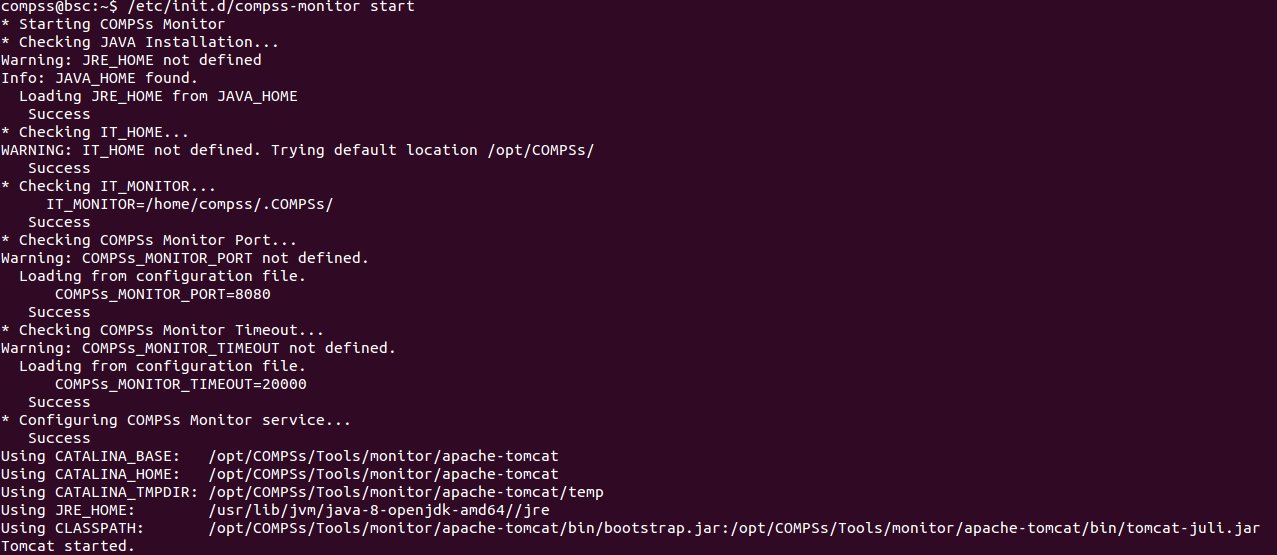
Figure 21 COMPSs Monitor start command
Tip
The monitor can be started and stopped in multiple environments (local, docker and supercomputer) automatically using the CLI. Please check: Running the COMPSs monitor
And use a web browser to open the specific URL:
compss@bsc:~$ firefox http://localhost:8080/compss-monitor &
The COMPSs Monitor allows to monitor applications from different users and thus, users need to first login to access their applications. As shown in Figure 22, the users can select any of their executed or running COMPSs applications and display it.
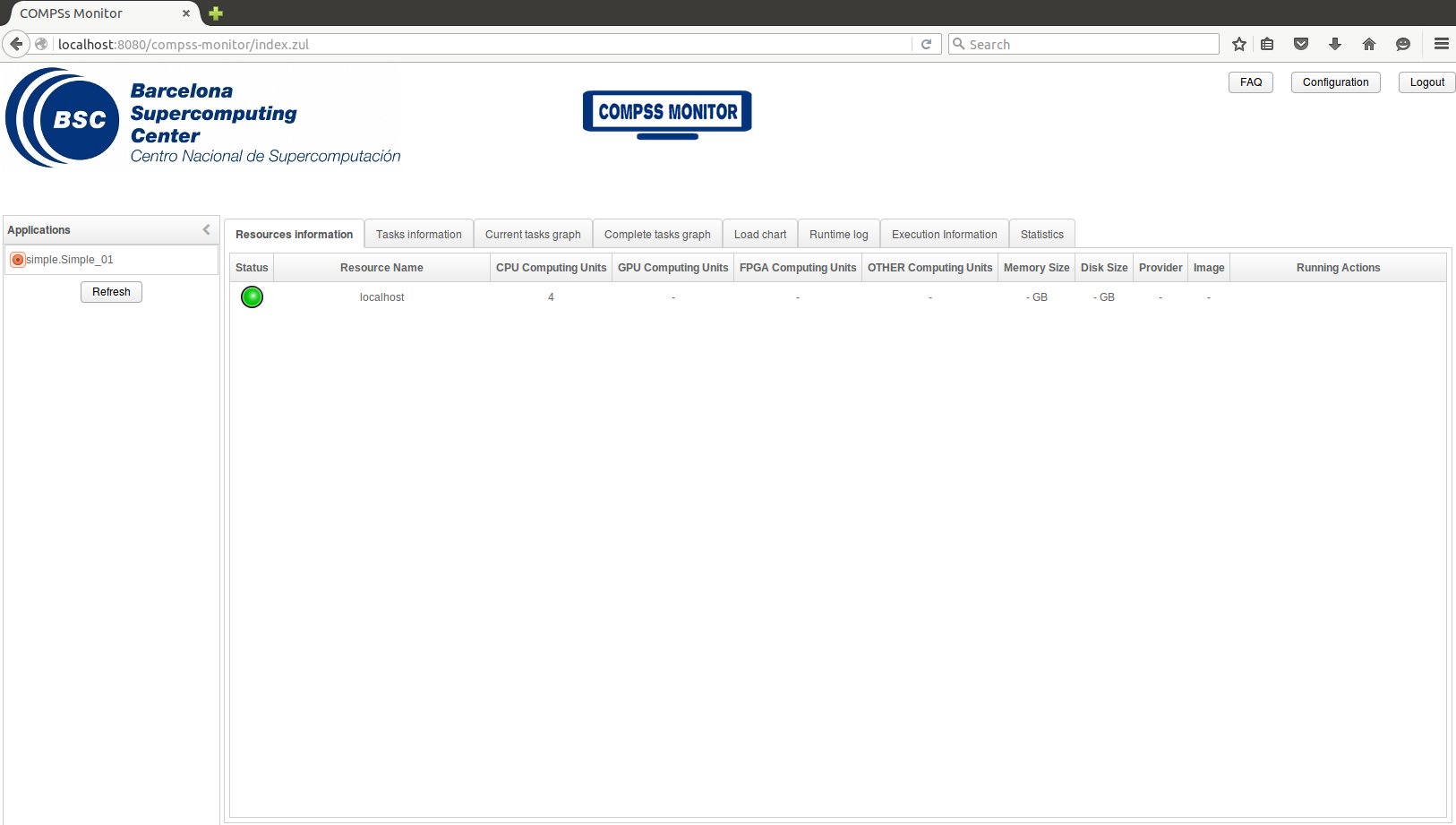
Figure 22 COMPSs monitoring interface
To enable all the COMPSs Monitor features, applications must run the
runcompss command with the --log_level=debug and -m flag.
These flags allows the COMPSs Runtime to store special information inside
inside the log_base_folder under the monitor folder (see
Figure 22 and Figure 23).
Only advanced users should modify or delete any of these files. If the
application that a user is trying to monitor has not been executed with
this flag, some of the COMPSs Monitor features will be disabled.
compss@bsc:~/tutorial_apps/java/simple/jar$ runcompss --log_level=debug -m simple.Simple 1
[  INFO] Using default execution type: compss
[  INFO] Using default location for project file: /opt/COMPSs/Runtime/configuration/xml/projects/default_project.xml
[  INFO] Using default location for resources file: /opt/COMPSs/Runtime/configuration/xml/resources/default_resources.xml
[  INFO] Using default language: java

----------------- Executing simple.Simple --------------------------

WARNING: COMPSs Properties file is null. Setting default values
[(799)    API]  -  Deploying COMPSs Runtime v<version>
[(801)    API]  -  Starting COMPSs Runtime v<version>
[(801)    API]  -  Initializing components
[(1290)    API]  -  Ready to process tasks
[(1293)    API]  -  Opening /home/compss/tutorial_apps/java/simple/jar/counter in mode OUT
[(1338)    API]  -  File target Location: /home/compss/tutorial_apps/java/simple/jar/counter
Initial counter value is 1
[(1340)    API]  -  Creating task from method increment in simple.SimpleImpl
[(1340)    API]  -  There is 1 parameter
[(1341)    API]  -    Parameter 1 has type FILE_T
Final counter value is 2
[(4307)    API]  -  No more tasks for app 1
[(4311)    API]  -  Getting Result Files 1
[(4340)    API]  -  Stop IT reached
[(4344)    API]  -  Stopping Graph generation...
[(4344)    API]  -  Stopping Monitor...
[(6347)    API]  -  Stopping AP...
[(6348)    API]  -  Stopping TD...
[(6509)    API]  -  Stopping Comm...
[(6510)    API]  -  Runtime stopped
[(6510)    API]  -  Execution Finished

------------------------------------------------------------
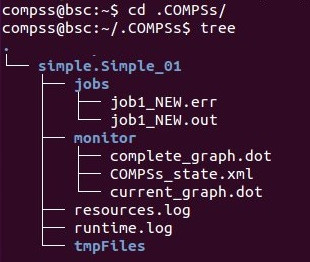
Figure 23 Logs generated by the Simple java application with the monitoring flag enabled