Usage
pycompss-cli provides the pycompss command line tool (compss
and dislib are also alternatives to pycompss).
This command line tool enables to deploy and manage multiple COMPSs infrastructures
from a single place and for 3 different types of environments (docker, local and remote)
The supported flags are:
$ pycompss
usage: pycompss [-h] [-d] [-eid ENV_ID]
            {init,i,exec,ex,run,r,app,a,job,j,monitor,m,jupyter,jpy,gengraph,gg,gentrace,gt,components,c,environment,env,inspect,ins}
            ...

positional arguments:
  {init,i,exec,ex,run,r,app,a,job,j,monitor,m,jupyter,jpy,gengraph,gg,gentrace,gt,components,c,environment,env,inspect,ins}
    init (i)            Initialize COMPSs environment (default local).
    exec (ex)           Execute the given command within the COMPSs' environment.
    run (r)             Run the application (with runcompss) within the COMPSs' environment.
    app (a)             Manage applications within remote environments.
    job (j)             Manage jobs within remote environments.
    monitor (m)         Start the monitor within the COMPSs' environment.
    jupyter (jpy)       Starts Jupyter within the COMPSs' environment.
    gengraph (gg)       Converts the given graph into pdf.
    gentrace (gt)       Merges traces from all nodes into a Paraver trace.
    components (c)      Manage infrastructure components.
    environment (env)   Manage COMPSs environments.
    inspect (ins)       Inspect an RO-Crate from a COMPSs application run.

optional arguments:
  -h, --help            show this help message and exit
  -d, --debug           Enable debug mode. Overrides log_level
  -eid ENV_ID, --env_id ENV_ID
                        Environment ID
Create a new COMPSs environment in your development directory
Creates a docker type environment and deploy a COMPSs container
$ pycompss init -n my_docker_env docker -w [WORK_DIR] -i [IMAGE]
The command initializes COMPSs in the current working dir or in WORK_DIR if -w is set. The COMPSs docker image to be used can be specified with -i (it can also be specified with the COMPSS_DOCKER_IMAGE environment variable).
Important
docker pip package is required for using docker environments in pycompss-cli.
For Mac users:
If command pycompss init docker is giving this error:
"ERROR: Docker service is not running. Please, start docker service and try again"
Despite having docker running fine could be caused by pycompss-cli not being able to find docker socket in the default path. Open Docker Desktop > Settings > In the left panel scroll down to Advanced > Enable default Docker socket
Initialize the COMPSs infrastructure where your source code is. This will allow docker to access your local code and run it inside the container.
$ pycompss init docker # operates on the current directory as working directory.
Note
The first time needs to download the docker image from the repository, and it may take a while.
Alternatively, you can specify the working directory, the COMPSs docker image to use, or both at the same time:
$ # You can also provide a path
$ pycompss init docker -w /home/user/replace/path/
$
$ # Or the COMPSs docker image to use
$ pycompss init docker -i compss/compss-tutorial:3.4
$
$ # Or both
$ pycompss init docker -w /home/user/replace/path/ -i compss/compss-tutorial:3.4
$ pycompss init local -w [WORK_DIR] -m [MODULES ...]
Creates a local type environment and initializes COMPSs in the current working dir or in WORK_DIR if -w is set. The modules to be loaded automatically can be specified with -m.
Initialize the COMPSs infrastructure where your source code will be.
$ pycompss init local # operates on the current directory as working directory.
Alternatively, you can specify the working directory, the modules to automatically load or both at the same time:
$ # You can also provide a path
$ pycompss init local -w /home/user/replace/path/
$
$ # Or a list of modules to load automatically before every command
$ pycompss init local -m COMPSs/3.3 ANACONDA/5.1.0_py3
$
$ # Or both
$ pycompss init local -w /home/user/replace/path/ -m COMPSs/3.3 ANACONDA/5.1.0_py3
$ pycompss init remote -l [LOGIN] -m [FILE | MODULES ...]
Creates a remote type environment with the credentials specified in LOGIN. The modules to be loaded automatically can be specified with -m.
Parameter LOGIN is necessary to connect to the remote host and must follow
standard format i.e. [user]@[hostname]:[port]. port is optional and defaults to 22 for ssh.
$ pycompss init remote -l username@mn1.bsc.es
$
$ # Or with list of modules
$ pycompss init remote -l username@mn1.bsc.es -m COMPSs/3.3 ANACONDA/5.1.0_py3
Note
The SSH access to the remote should be configured to work without password. If you need to set up your machine for the first time please take a look at General Section for a detailed description of the additional configuration.
The parameter -m also supports passing a file containing not only modules but any kind of commands
that you need to execute for the remote environment.
Suppose we have a file modules.sh with the following content:
export ComputingUnits=1
export JAVA_HOME=/usr/lib/jvm/java-11-openjdk-amd64
module load COMPSs/3.3
module load ANACONDA/5.1.0_py3
$ pycompss init remote -l username@mn1.bsc.es -m /path/to/modules.sh
Managing environments
Every time command pycompss init is executed, a new environment is created but does not become the active
environment. For that it is mandatory to execute pycompss env change [env_name].
The subcommands pycompss environment will help inspecting, removing and switching between the environments.
You can list all the environments created with pycompss environment list and inspect which one is active,
the types of each one and the ID.
$ pycompss environment list
                  ID           Type         Active
    -   5eeb858c2b10         remote            *
    -        default          local
    -  container-b54         docker
The ID of the environments is what you will use to switch between them.
$ pycompss environment change container-b54
    Environment `container-b54` is now active
Every environment can also be deleted, except default environment.
$ pycompss environment remove container-b54
    Deleting environment `container-b54`...
$ pycompss environment remove default
    ERROR: `default` environment is required and cannot be deleted.
Also every remote environment can have multiple applications deployed in remote. So if you want to delete the environment all the data associated with them will be also deleted.
$ pycompss environment remove 5eeb858c2b10     # deleting a remote env with 2 apps deployed
    WARNING: There are still applications binded to this environment
    Do you want to delete this environment and all the applications? (y/N) y   # default is no
    Deleting app1...
    Deleting app2...
    Deleting environment `5eeb858c2b10`...
Deploying applications
For a remote environment is required to deploy any application before executing it.
$ pycompss app deploy [APP_NAME] --source_dir [SOURCE_DIR] --destination_dir [DESTINATION_DIR]
APP_NAME is required and must be unique.
SOURCE_DIR and DESTINATION_DIR are optional
the command copies the application from the current directory or from SOURCE_DIR
if --source_dir is set to the remote directory specified with
DESTINATION_DIR.
If DESTINATION_DIR is not set, the application will be deployed in
$HOME/.COMPSsApps
In order to show how to deploy an application, clone the PyCOMPSs’ tutorial apps repository:
$ git clone https://github.com/bsc-wdc/tutorial_apps.git
This is not necessary for docker environments since the working directory is set at the initialization of the environment.
On local environment deploying an application will just copy the --source_dir directory to another location.
Let’s deploy the matrix multiplication tutorial application.
$ pycompss app deploy matmul --source_dir tutorial_apps/python/matmul_files
Also you could specify the path where to copy the files.
$ pycompss app deploy matmul --source_dir tutorial_apps/python/matmul_files/src/ --destination_dir /home/user/matmul_copy
If the parameter --destination_dir is missing then the files will be copied to ~/.COMPSsApps/%env_name%/%app_name%/
Each deployed application can be listed using the command:
$ pycompss app list
    Name          Source                                                           Destination
    ------------  ------------------------------------------------------------     ---------------------------------------
    matmul        /home/user/tutorial_apps/python/matmul_files                     /home/user/.COMPSsApps/default/matmul
    test_jenkins  /jenkins/tests_execution_sandbox/apps/app009/.COMPSsWorker       /tmp/test_jenkins
Also every app can be deleted using the command:
$ pycompss app remove matmul
    Deleting application `matmul`...
Caution
Removing an application will delete the copied app directory and every valuable results generated inside.
Let’s deploy the matrix multiplication tutorial application.
$ pycompss app deploy matmul --source_dir tutorial_apps/python/matmul_files
Also you could specify the path where to copy the files on the remote host.
$ pycompss app deploy matmul --source_dir tutorial_apps/python/matmul_files/src/ --destination_dir /path/cluster/my_app
Each deployed application within a remote environment can be listed using the command:
$ pycompss app list
                Name
    -         matmul
    -           app1
Also every app can be deleted using the command:
$ pycompss app remove matmul
    Deleting application `matmul`...
Caution
Removing an application will delete the entire app directory and every valuable results generated inside.
Executing applications
$ pycompss run [COMPSS_ARGS] APP_FILE [APP_ARGS]
APP_FILE is required and must be a valid python file. APP_ARGS is optional and can be used to pass any argument to the application.
COMPSS_ARGS is optional and can accept the following arguments
1General:
2 --help, -h Print this help message
3
4 --opts Show available options
5
6 --version, -v Print COMPSs version
7
8Tools enablers:
9 --graph=<bool>, --graph, -g Generation of the complete graph (true/false)
10 When no value is provided it is set to true
11 Default: false
12 -t, --tracing[=<value>] Set generation of traces.
13 Default: false
14 When no value is provided, tracing is enabled with the default backend ("extrae").
15 Supported values:
16 - true|false Enable tracing using extrae's backend or disable.
17 - <backend>[,<backend>...] Comma-separated list of tracing backends
18 (e.g., "extrae,monitor").
19 --monitoring=<int>, --monitoring, -m Period between monitoring samples (milliseconds)
20 When no value is provided it is set to 2000
21 Default: 0
22 --external_debugger=<int>,
23 --external_debugger Enables external debugger connection on the specified port (or 9999 if empty)
24 Default: false
25 --jmx_port=<int> Enable JVM profiling on specified port
26
27Runtime configuration options:
28 --task_execution=<compss|storage> Task execution under COMPSs or Storage.
29 Default: compss
30 --storage_impl=<string> Path to an storage implementation. Shortcut to setting pypath and classpath. See Runtime/storage in your installation folder.
31 --storage_conf=<path> Path to the storage configuration file
32 Default: null
33 --project=<path> Path to the project XML file
34 Default: /opt/COMPSs//Runtime/configuration/xml/projects/default_project.xml
35 --resources=<path> Path to the resources XML file
36 Default: /opt/COMPSs//Runtime/configuration/xml/resources/default_resources.xml
37 --socket=<string>, --socket Run the application in client mode. Optional socket path to bind.
38 --socket=<string>, --socket Run the application in client mode. Optional socket path to bind.
39 --lang=<name> Language of the application (java/c/python/r)
40 Default: Inferred is possible. Otherwise: java
41 --summary Displays a task execution summary at the end of the application execution
42 Default: false
43 --log_level=<level>, --debug, -d Set the debug level: off | info | api | debug | trace
44 Warning: Off level compiles with -O2 option disabling asserts and __debug__
45 Default: off
46
47Advanced options:
48 --extrae_config_file=<path> Sets a custom extrae config file. Must be in a shared disk between all COMPSs workers.
49 Default: /opt/COMPSs//Runtime/configuration/xml/tracing/extrae_basic.xml
50 --extrae_config_file_python=<path> Sets a custom extrae config file for python. Must be in a shared disk between all COMPSs workers.
51 Default: null
52 --trace_label=<string> Add a label in the generated trace file. Only used in the case of tracing is activated.
53 Default: Application name
54 --tracing_task_dependencies=<bool> Adds communication lines for the task dependencies (true/false)
55 Default: false
56 --generate_trace=<bool> Converts the events register into a trace file. Only used in the case of activated tracing.
57 Default: true
58 --delete_trace_packages=<bool> If true, deletes the tracing packages created by the run.
59 Default: true. Automatically, disabled if the trace is not generated.
60 --custom_threads=<bool> Threads in the trace file are re-ordered and customized to indicate the function of the thread.
61 Only used when the tracing is activated and a trace file generated.
62 Default: true
63 --comm=<ClassName> Class that implements the adaptor for communications
64 Supported adaptors:
65 ├── es.bsc.compss.nio.master.NIOAdaptor
66 └── es.bsc.compss.gat.master.GATAdaptor
67 Default: es.bsc.compss.nio.master.NIOAdaptor
68 --conn=<className> Class that implements the runtime connector for the cloud
69 Supported connectors:
70 ├── es.bsc.compss.connectors.DefaultSSHConnector
71 └── es.bsc.compss.connectors.DefaultNoSSHConnector
72 Default: es.bsc.compss.connectors.DefaultSSHConnector
73 --streaming=<type> Enable the streaming mode for the given type.
74 Supported types: FILES, OBJECTS, PSCOS, ALL, NONE
75 Default: NONE
76 --streaming_master_name=<str> Use an specific streaming master node name.
77 Default: Empty
78 --streaming_master_port=<int> Use an specific port for the streaming master.
79 Default: Empty
80 --scheduler=<className> Class that implements the Scheduler for COMPSs
81 Supported schedulers:
82 ├── es.bsc.compss.components.impl.TaskScheduler
83 ├── es.bsc.compss.scheduler.orderstrict.fifo.FifoTS
84 ├── es.bsc.compss.scheduler.lookahead.fifo.FifoTS
85 ├── es.bsc.compss.scheduler.lookahead.lifo.LifoTS
86 ├── es.bsc.compss.scheduler.lookahead.locality.LocalityTS
87 ├── es.bsc.compss.scheduler.lookahead.successors.constraintsfifo.ConstraintsFifoTS
88 ├── es.bsc.compss.scheduler.lookahead.mt.successors.constraintsfifo.ConstraintsFifoTS
89 ├── es.bsc.compss.scheduler.lookahead.successors.fifo.FifoTS
90 ├── es.bsc.compss.scheduler.lookahead.mt.successors.fifo.FifoTS
91 ├── es.bsc.compss.scheduler.lookahead.successors.lifo.LifoTS
92 ├── es.bsc.compss.scheduler.lookahead.mt.successors.lifo.LifoTS
93 ├── es.bsc.compss.scheduler.lookahead.successors.locality.LocalityTS
94 ├── es.bsc.compss.scheduler.lookahead.mt.successors.locality.LocalityTS
95 └── es.bsc.compss.scheduler.predefined.PredefinedTS
96 Default in runcompss: es.bsc.compss.scheduler.lookahead.locality.LocalityTS
97 Default in enqueue_compss shared disk: es.bsc.compss.scheduler.lookahead.mt.successors.fifo.FifoTS
98 Default in enqueue_compss local disk: es.bsc.compss.scheduler.lookahead.mt.successors.locality.LocalityTS
99 --scheduler_config_file=<path> Path to the file which contains the scheduler configuration.
100 Default: Empty
101 --checkpoint=<className> Class that implements the Checkpoint Management policy
102 Supported checkpoint policies:
103 ├── es.bsc.compss.checkpoint.policies.CheckpointPolicyInstantiatedGroup
104 ├── es.bsc.compss.checkpoint.policies.CheckpointPolicyPeriodicTime
105 ├── es.bsc.compss.checkpoint.policies.CheckpointPolicyFinishedTasks
106 └── es.bsc.compss.checkpoint.policies.NoCheckpoint
107 Default: es.bsc.compss.checkpoint.policies.NoCheckpoint
108 --checkpoint_params=<string> Checkpoint configuration parameter.
109 Default: Empty
110 --checkpoint_folder=<path> Checkpoint folder.
111 Default: Mandatory parameter
112 --library_path=<path> Non-standard directories to search for libraries (e.g. Java JVM library, Python library, C binding library)
113 Default: Working Directory
114 --classpath=<path> Path for the application classes / modules
115 Default: Working Directory
116 --appdir=<path> Path for the application class folder.
117 Default: /home/user/gitlab/documentation/COMPSs_Manuals
118 --pythonpath=<path> Additional folders or paths to add to the PYTHONPATH
119 Default: /home/user/gitlab/documentation/COMPSs_Manuals
120 --env_script=<path> Path to the script file where the application environment variables are defined.
121 COMPSs sources this script before running the application.
122 Default: Empty
123 --log_dir=<path> Directory to store COMPSs log files (a .COMPSs/ folder will be created inside this location)
124 Default: User home
125 --master_working_dir=<path> Use a specific directory to store COMPSs temporary files in master
126 Default: <log_dir>/.COMPSs/<app_name>/tmpFiles
127 --uuid=<int> Preset an application UUID
128 Default: Automatic random generation
129 --master_name=<string> Hostname of the node to run the COMPSs master
130 Default: Empty
131 --master_port=<int> Port to run the COMPSs master communications.
132 Only for NIO adaptor
133 Default: [43000,44000]
134 --jvm_master_opts="<string>" Extra options for the COMPSs Master JVM. Each option separated by "," and without blank spaces (Notice the quotes)
135 Default: Empty
136 --jvm_workers_opts="<string>" Extra options for the COMPSs Workers JVMs. Each option separated by "," and without blank spaces (Notice the quotes)
137 Default: -Xms256m,-Xmx1024m,-Xmn100m
138 --cpu_affinity="<string>" Sets the CPU affinity for the workers
139 Supported options: disabled, automatic, dlb or user defined map of the form "0-8/9,10,11/12-14,15,16"
140 Default: automatic
141 --gpu_affinity="<string>" Sets the GPU affinity for the workers
142 Supported options: disabled, automatic, user defined map of the form "0-8/9,10,11/12-14,15,16"
143 Default: automatic
144 --fpga_affinity="<string>" Sets the FPGA affinity for the workers
145 Supported options: disabled, automatic, user defined map of the form "0-8/9,10,11/12-14,15,16"
146 Default: automatic
147 --fpga_reprogram="<string>" Specify the full command that needs to be executed to reprogram the FPGA with the desired bitstream. The location must be an absolute path.
148 Default: Empty
149 --io_executors=<int> IO Executors per worker
150 Default: 0
151 --task_count=<int> Only for C/Python Bindings. Maximum number of different functions/methods, invoked from the application, that have been selected as tasks
152 Default: 50
153 --input_profile=<path> Path to the file which stores the input application profile
154 Default: Empty
155 --output_profile=<path> Path to the file to store the application profile at the end of the execution
156 Default: Empty
157 --PyObject_serialize=<bool> Only for Python Binding. Enable the object serialization to string when possible (true/false).
158 Default: false
159 --persistent_worker_c=<bool> Only for C Binding. Enable the persistent worker in c (true/false).
160 Default: false
161 --enable_external_adaptation=<bool> Enable external adaptation. This option will disable the Resource Optimizer.
162 Default: false
163 --gen_coredump Enable master coredump generation
164 Default: false
165 --keep_workingdir Do not remove the worker working directory after the execution
166 Default: false
167 --python_interpreter=<string> Python interpreter to use (python/python3).
168 Default: python3 Version:
169 --python_propagate_virtual_environment=<bool> Propagate the master virtual environment to the workers (true/false).
170 Default: true
171 --python_mpi_worker=<bool> Use MPI to run the python worker instead of multiprocessing. (true/false).
172 Default: false
173 --python_memory_profile Generate a memory profile of the master.
174 Default: false
175 --python_worker_cache=<string> Python worker CPU and GPU cache (false/cpu:10GB/gpu:25%).
176 Only for NIO without mpi worker and python >= 3.8.
177 Default: false
178 --python_cache_profiler=<bool> Python cache profiler (true/false).
179 Only for NIO without mpi worker and python >= 3.8.
180 Default: false
181 --wall_clock_limit=<int> Maximum duration of the application (in seconds).
182 Default: 0
183 --shutdown_in_node_failure=<bool> Stop the whole execution in case of Node Failure.
184 Default: false
185 --provenance=<yaml>, --provenance, -p Generate COMPSs workflow provenance data in RO-Crate format using a YAML configuration file. Automatically activates --graph.
186 Default: ro-crate-info.yaml
187 --provenance_folder=<path> Path where the workflow provenance will be generated
188 Default: COMPSs_RO-Crate_[timestamp]
189 --zip_provenance, -z Zip the resulting COMPSs RO-Crate
190 Default: COMPSs_RO-Crate_[timestamp].zip
191
192* Application name:
193 For Java applications: Fully qualified name of the application
194 For C applications: Path to the master binary
195 For Python applications: Path to the .py file containing the main program
196 For R applications: Path to the .R file containing the main program
197
198* Application arguments:
199 Command line arguments to pass to the application. Can be empty.
Init a docker environment in the root of the repository. The source
files path are resolved from the init directory which sometimes can be
confusing. As a rule of thumb, initialize the library in a current
directory and check the paths are correct running the file with
python3 path_to/file.py (in this case
python3 python/matmul_files/src/matmul_files.py).
$ cd tutorial_apps
$ pycompss init docker
Now we can run the matmul_files.py application:
$ pycompss run python/matmul_files/src/matmul_files.py 4 4
The log files of the execution can be found at $HOME/.COMPSs.
You can also init the docker environment inside the examples folder. This will mount the examples directory inside the container so you can execute it without adding the path:
$ pycompss init docker -w python/matmul_files/src
$ pycompss run matmul_files.py 4 4
Not available
Not available. Submitting jobs for applications is only possible for remote and local environments.
$ pycompss run [COMPSS_ARGS] APP_FILE [APP_ARGS]
APP_FILE is required and must be a valid python file. APP_ARGS is optional and can be used to pass any argument to the application.
COMPSS_ARGS is optional and can accept the following arguments
1General:
2 --help, -h Print this help message
3
4 --opts Show available options
5
6 --version, -v Print COMPSs version
7
8Tools enablers:
9 --graph=<bool>, --graph, -g Generation of the complete graph (true/false)
10 When no value is provided it is set to true
11 Default: false
12 -t, --tracing[=<value>] Set generation of traces.
13 Default: false
14 When no value is provided, tracing is enabled with the default backend ("extrae").
15 Supported values:
16 - true|false Enable tracing using extrae's backend or disable.
17 - <backend>[,<backend>...] Comma-separated list of tracing backends
18 (e.g., "extrae,monitor").
19 --monitoring=<int>, --monitoring, -m Period between monitoring samples (milliseconds)
20 When no value is provided it is set to 2000
21 Default: 0
22 --external_debugger=<int>,
23 --external_debugger Enables external debugger connection on the specified port (or 9999 if empty)
24 Default: false
25 --jmx_port=<int> Enable JVM profiling on specified port
26
27Runtime configuration options:
28 --task_execution=<compss|storage> Task execution under COMPSs or Storage.
29 Default: compss
30 --storage_impl=<string> Path to an storage implementation. Shortcut to setting pypath and classpath. See Runtime/storage in your installation folder.
31 --storage_conf=<path> Path to the storage configuration file
32 Default: null
33 --project=<path> Path to the project XML file
34 Default: /opt/COMPSs//Runtime/configuration/xml/projects/default_project.xml
35 --resources=<path> Path to the resources XML file
36 Default: /opt/COMPSs//Runtime/configuration/xml/resources/default_resources.xml
37 --socket=<string>, --socket Run the application in client mode. Optional socket path to bind.
38 --socket=<string>, --socket Run the application in client mode. Optional socket path to bind.
39 --lang=<name> Language of the application (java/c/python/r)
40 Default: Inferred is possible. Otherwise: java
41 --summary Displays a task execution summary at the end of the application execution
42 Default: false
43 --log_level=<level>, --debug, -d Set the debug level: off | info | api | debug | trace
44 Warning: Off level compiles with -O2 option disabling asserts and __debug__
45 Default: off
46
47Advanced options:
48 --extrae_config_file=<path> Sets a custom extrae config file. Must be in a shared disk between all COMPSs workers.
49 Default: /opt/COMPSs//Runtime/configuration/xml/tracing/extrae_basic.xml
50 --extrae_config_file_python=<path> Sets a custom extrae config file for python. Must be in a shared disk between all COMPSs workers.
51 Default: null
52 --trace_label=<string> Add a label in the generated trace file. Only used in the case of tracing is activated.
53 Default: Application name
54 --tracing_task_dependencies=<bool> Adds communication lines for the task dependencies (true/false)
55 Default: false
56 --generate_trace=<bool> Converts the events register into a trace file. Only used in the case of activated tracing.
57 Default: true
58 --delete_trace_packages=<bool> If true, deletes the tracing packages created by the run.
59 Default: true. Automatically, disabled if the trace is not generated.
60 --custom_threads=<bool> Threads in the trace file are re-ordered and customized to indicate the function of the thread.
61 Only used when the tracing is activated and a trace file generated.
62 Default: true
63 --comm=<ClassName> Class that implements the adaptor for communications
64 Supported adaptors:
65 ├── es.bsc.compss.nio.master.NIOAdaptor
66 └── es.bsc.compss.gat.master.GATAdaptor
67 Default: es.bsc.compss.nio.master.NIOAdaptor
68 --conn=<className> Class that implements the runtime connector for the cloud
69 Supported connectors:
70 ├── es.bsc.compss.connectors.DefaultSSHConnector
71 └── es.bsc.compss.connectors.DefaultNoSSHConnector
72 Default: es.bsc.compss.connectors.DefaultSSHConnector
73 --streaming=<type> Enable the streaming mode for the given type.
74 Supported types: FILES, OBJECTS, PSCOS, ALL, NONE
75 Default: NONE
76 --streaming_master_name=<str> Use an specific streaming master node name.
77 Default: Empty
78 --streaming_master_port=<int> Use an specific port for the streaming master.
79 Default: Empty
80 --scheduler=<className> Class that implements the Scheduler for COMPSs
81 Supported schedulers:
82 ├── es.bsc.compss.components.impl.TaskScheduler
83 ├── es.bsc.compss.scheduler.orderstrict.fifo.FifoTS
84 ├── es.bsc.compss.scheduler.lookahead.fifo.FifoTS
85 ├── es.bsc.compss.scheduler.lookahead.lifo.LifoTS
86 ├── es.bsc.compss.scheduler.lookahead.locality.LocalityTS
87 ├── es.bsc.compss.scheduler.lookahead.successors.constraintsfifo.ConstraintsFifoTS
88 ├── es.bsc.compss.scheduler.lookahead.mt.successors.constraintsfifo.ConstraintsFifoTS
89 ├── es.bsc.compss.scheduler.lookahead.successors.fifo.FifoTS
90 ├── es.bsc.compss.scheduler.lookahead.mt.successors.fifo.FifoTS
91 ├── es.bsc.compss.scheduler.lookahead.successors.lifo.LifoTS
92 ├── es.bsc.compss.scheduler.lookahead.mt.successors.lifo.LifoTS
93 ├── es.bsc.compss.scheduler.lookahead.successors.locality.LocalityTS
94 ├── es.bsc.compss.scheduler.lookahead.mt.successors.locality.LocalityTS
95 └── es.bsc.compss.scheduler.predefined.PredefinedTS
96 Default in runcompss: es.bsc.compss.scheduler.lookahead.locality.LocalityTS
97 Default in enqueue_compss shared disk: es.bsc.compss.scheduler.lookahead.mt.successors.fifo.FifoTS
98 Default in enqueue_compss local disk: es.bsc.compss.scheduler.lookahead.mt.successors.locality.LocalityTS
99 --scheduler_config_file=<path> Path to the file which contains the scheduler configuration.
100 Default: Empty
101 --checkpoint=<className> Class that implements the Checkpoint Management policy
102 Supported checkpoint policies:
103 ├── es.bsc.compss.checkpoint.policies.CheckpointPolicyInstantiatedGroup
104 ├── es.bsc.compss.checkpoint.policies.CheckpointPolicyPeriodicTime
105 ├── es.bsc.compss.checkpoint.policies.CheckpointPolicyFinishedTasks
106 └── es.bsc.compss.checkpoint.policies.NoCheckpoint
107 Default: es.bsc.compss.checkpoint.policies.NoCheckpoint
108 --checkpoint_params=<string> Checkpoint configuration parameter.
109 Default: Empty
110 --checkpoint_folder=<path> Checkpoint folder.
111 Default: Mandatory parameter
112 --library_path=<path> Non-standard directories to search for libraries (e.g. Java JVM library, Python library, C binding library)
113 Default: Working Directory
114 --classpath=<path> Path for the application classes / modules
115 Default: Working Directory
116 --appdir=<path> Path for the application class folder.
117 Default: /home/user/gitlab/documentation/COMPSs_Manuals
118 --pythonpath=<path> Additional folders or paths to add to the PYTHONPATH
119 Default: /home/user/gitlab/documentation/COMPSs_Manuals
120 --env_script=<path> Path to the script file where the application environment variables are defined.
121 COMPSs sources this script before running the application.
122 Default: Empty
123 --log_dir=<path> Directory to store COMPSs log files (a .COMPSs/ folder will be created inside this location)
124 Default: User home
125 --master_working_dir=<path> Use a specific directory to store COMPSs temporary files in master
126 Default: <log_dir>/.COMPSs/<app_name>/tmpFiles
127 --uuid=<int> Preset an application UUID
128 Default: Automatic random generation
129 --master_name=<string> Hostname of the node to run the COMPSs master
130 Default: Empty
131 --master_port=<int> Port to run the COMPSs master communications.
132 Only for NIO adaptor
133 Default: [43000,44000]
134 --jvm_master_opts="<string>" Extra options for the COMPSs Master JVM. Each option separated by "," and without blank spaces (Notice the quotes)
135 Default: Empty
136 --jvm_workers_opts="<string>" Extra options for the COMPSs Workers JVMs. Each option separated by "," and without blank spaces (Notice the quotes)
137 Default: -Xms256m,-Xmx1024m,-Xmn100m
138 --cpu_affinity="<string>" Sets the CPU affinity for the workers
139 Supported options: disabled, automatic, dlb or user defined map of the form "0-8/9,10,11/12-14,15,16"
140 Default: automatic
141 --gpu_affinity="<string>" Sets the GPU affinity for the workers
142 Supported options: disabled, automatic, user defined map of the form "0-8/9,10,11/12-14,15,16"
143 Default: automatic
144 --fpga_affinity="<string>" Sets the FPGA affinity for the workers
145 Supported options: disabled, automatic, user defined map of the form "0-8/9,10,11/12-14,15,16"
146 Default: automatic
147 --fpga_reprogram="<string>" Specify the full command that needs to be executed to reprogram the FPGA with the desired bitstream. The location must be an absolute path.
148 Default: Empty
149 --io_executors=<int> IO Executors per worker
150 Default: 0
151 --task_count=<int> Only for C/Python Bindings. Maximum number of different functions/methods, invoked from the application, that have been selected as tasks
152 Default: 50
153 --input_profile=<path> Path to the file which stores the input application profile
154 Default: Empty
155 --output_profile=<path> Path to the file to store the application profile at the end of the execution
156 Default: Empty
157 --PyObject_serialize=<bool> Only for Python Binding. Enable the object serialization to string when possible (true/false).
158 Default: false
159 --persistent_worker_c=<bool> Only for C Binding. Enable the persistent worker in c (true/false).
160 Default: false
161 --enable_external_adaptation=<bool> Enable external adaptation. This option will disable the Resource Optimizer.
162 Default: false
163 --gen_coredump Enable master coredump generation
164 Default: false
165 --keep_workingdir Do not remove the worker working directory after the execution
166 Default: false
167 --python_interpreter=<string> Python interpreter to use (python/python3).
168 Default: python3 Version:
169 --python_propagate_virtual_environment=<bool> Propagate the master virtual environment to the workers (true/false).
170 Default: true
171 --python_mpi_worker=<bool> Use MPI to run the python worker instead of multiprocessing. (true/false).
172 Default: false
173 --python_memory_profile Generate a memory profile of the master.
174 Default: false
175 --python_worker_cache=<string> Python worker CPU and GPU cache (false/cpu:10GB/gpu:25%).
176 Only for NIO without mpi worker and python >= 3.8.
177 Default: false
178 --python_cache_profiler=<bool> Python cache profiler (true/false).
179 Only for NIO without mpi worker and python >= 3.8.
180 Default: false
181 --wall_clock_limit=<int> Maximum duration of the application (in seconds).
182 Default: 0
183 --shutdown_in_node_failure=<bool> Stop the whole execution in case of Node Failure.
184 Default: false
185 --provenance=<yaml>, --provenance, -p Generate COMPSs workflow provenance data in RO-Crate format using a YAML configuration file. Automatically activates --graph.
186 Default: ro-crate-info.yaml
187 --provenance_folder=<path> Path where the workflow provenance will be generated
188 Default: COMPSs_RO-Crate_[timestamp]
189 --zip_provenance, -z Zip the resulting COMPSs RO-Crate
190 Default: COMPSs_RO-Crate_[timestamp].zip
191
192* Application name:
193 For Java applications: Fully qualified name of the application
194 For C applications: Path to the master binary
195 For Python applications: Path to the .py file containing the main program
196 For R applications: Path to the .R file containing the main program
197
198* Application arguments:
199 Command line arguments to pass to the application. Can be empty.
Init a local environment in the root of the repository. The source
files path are resolved from the init directory which sometimes can be
confusing. As a rule of thumb, initialize the library in a current
directory and check the paths are correct running the file with
python3 path_to/file.py (in this case
python3 python/matmul_files/src/matmul_files.py).
$ cd tutorial_apps
$ pycompss init local
Now we can run the matmul_files.py application:
$ pycompss run python/matmul_files/src/matmul_files.py 4 4
The log files of the execution can be found at $HOME/.COMPSs.
You can also init the local environment inside the examples folder. This will mount the examples directory inside the container so you can execute it without adding the path:
$ pycompss init local -w python/matmul_files/src
$ pycompss run matmul_files.py 4 4
Important
To be able to submit a job in a local environment you must have installed some cluster management/job scheduling system .i.e SLURM, SGE, PBS, etc.
The pycompss job command can be used to submit, cancel and list jobs to a remote environment.
It is only available for local and remote environments.
$ pycompss job submit -e [ENV_VAR...] [COMPSS_ARGS] APP_FILE [APP_ARGS]
ENV_VAR is optional and can be used to pass any environment variable to the application. APP_FILE is required and must be a valid python file inside app directory. APP_ARGS is optional and can be used to pass any argument to the application.
COMPSS_ARGS is optional and can accept the following arguments
1General:
2 --help, -h Print this help message
3 --heterogeneous Indicates submission is going to be heterogeneous
4 Default: Disabled
5 Queue system configuration:
6 --sc_cfg=<name> SuperComputer configuration file to use. Must exist inside queues/cfgs/
7 Default: default
8 Submission configuration:
9 General submision arguments:
10 --exec_time=<minutes> Expected execution time of the application (in minutes)
11 Default: 10
12 --job_name=<name> Job name
13 Default: COMPSs
14 --queue=<name> Queue/partition name to submit the job. Depends on the queue system.
15 Default: default
16 --reservation=<name> Reservation to use when submitting the job.
17 Default: disabled
18 --job_execution_dir=<path> Path where job is executed.
19 Default: .
20 --pre_env_script=<path/to/script> Script to source the required environment before launching the application.
21 Default: Empty
22 --extra_submit_flag=<flag> Flag to pass queue system flags not supported by default command flags.
23 Spaces must be added as '#'
24 Default: Empty
25 --storage_container_image=<string> Path to the storage container image or default or false.
26 False indicates no container. Default uses the default container image.
27 Default: false
28 --storage_cpu_affinity=<string> Sets the CPU affinity for storage framework in the workers.
29 Supported options: disabled or user defined map of the form "0-8/9,10,11/12-14,15,16".
30 Tip: set --cpu_affinity and --cpus_per_node flags accordingly.
31 Default:
32 --constraints=<constraints> Constraints to pass to queue system.
33 Default: disabled
34 --project_name=<name> Project name to pass to queue system.
35 Default: Empty.
36 --qos=<qos> Quality of Service to pass to the queue system.
37 Default: default
38 --forward_cpus_per_node=<true|false> Flag to indicate if number to cpus per node must be forwarded to the worker process.
39 The number of forwarded cpus will be equal to the cpus_per_node in a worker node and
40 equal to the worker_in_master_cpus in a master node.
41 Default: true
42 --job_dependency=<jobID> Postpone job execution until the job dependency has ended.
43 Default: None
44 --forward_time_limit=<true|false> Forward the queue system time limit to the runtime.
45 It will stop the application in a controlled way.
46 Default: true
47 --storage_home=<string> Root installation dir of the storage implementation.
48 Can be defined with the STORAGE_HOME environment variable.
49 Default: null
50 --storage_props=<string> Absolute path of the storage properties file
51 Mandatory if storage_home is defined
52 Agents deployment arguments:
53 --agents=<string> Hierarchy of agents for the deployment. Accepted values: plain|tree
54 Default: tree
55 --agents Deploys the runtime as agents instead of the classic Master-Worker deployment.
56 Default: disabled
57 Homogeneous submission arguments:
58 --num_nodes=<int> Number of nodes to use
59 Default: 2
60 --num_switches=<int> Maximum number of different switches. Select 0 for no restrictions.
61 Maximum nodes per switch: 18
62 Only available for at least 4 nodes.
63 Default: 0
64 Heterogeneous submission arguments:
65 --type_cfg=<file_location> Location of the file with the descriptions of node type requests
66 File should follow the following format:
67 type_X(){
68 cpus_per_node=24
69 node_memory=96
70 ...
71 }
72 type_Y(){
73 ...
74 }
75 --master=<master_node_type> Node type for the master
76 (Node type descriptions are provided in the --type_cfg flag)
77 --workers=type_X:nodes,type_Y:nodes Node type and number of nodes per type for the workers
78 (Node type descriptions are provided in the --type_cfg flag)
79 Launch configuration:
80 --cpus_per_node=<int> Available CPU computing units on each node
81 Default: 112
82 --gpus_per_node=<int> Available GPU computing units on each node
83 Default: 0
84 --fpgas_per_node=<int> Available FPGA computing units on each node
85 Default: 0
86 --io_executors=<int> Number of IO executors on each node
87 Default: 0
88 --fpga_reprogram="<string> Specify the full command that needs to be executed to reprogram the FPGA with
89 the desired bitstream. The location must be an absolute path.
90 Default:
91 --max_tasks_per_node=<int> Maximum number of simultaneous tasks running on a node
92 Default: -1
93 --node_memory=<MB> Maximum node memory: disabled | <int> (MB)
94 Default: disabled
95 --node_storage_bandwidth=<MB> Maximum node storage bandwidth: <int> (MB)
96 Default: 450
97 --network=<name> Communication network for transfers: default | ethernet | infiniband | data.
98 Default: infiniband
99 --prolog="<string>" Task to execute before launching COMPSs (Notice the quotes)
100 If the task has arguments split them by "," rather than spaces.
101 This argument can appear multiple times for more than one prolog action
102 Default: Empty
103 --epilog="<string>" Task to execute after executing the COMPSs application (Notice the quotes)
104 If the task has arguments split them by "," rather than spaces.
105 This argument can appear multiple times for more than one epilog action
106 Default: Empty
107 --master_working_dir=<name | path> Working directory of the application local_disk | shared_disk | <path>
108 Default:
109 --worker_working_dir=<name | path> Worker directory. Use: local_disk | shared_disk | <path>
110 Default: local_disk
111 --worker_in_master_cpus=<int> Maximum number of CPU computing units that the master node can run as worker. Cannot exceed cpus_per_node.
112 Default: 100
113 --worker_in_master_memory=<int> MB Maximum memory in master node assigned to the worker. Cannot exceed the node_memory.
114 Mandatory if worker_in_master_cpus is specified.
115 Default: 200
116 --worker_port_range=<min>,<max> Port range used by the NIO adaptor at the worker side
117 Default: 43001,43005
118 --jvm_worker_in_master_opts="<string>" Extra options for the JVM of the COMPSs Worker in the Master Node.
119 Each option separated by "," and without blank spaces (Notice the quotes)
120 Default:
121 --container_image=<path> Runs the application by means of a container engine image
122 Default: Empty
123 --container_compss_path=<path> Path where compss is installed in the container image
124 Default: /opt/COMPSs
125 --container_opts="<string>" Options to pass to the container engine
126 Default: empty
127 --elasticity=<max_extra_nodes> Activate elasticity specifying the maximum extra nodes (ONLY AVAILABLE FORM SLURM CLUSTERS WITH NIO ADAPTOR)
128 Default: 0
129 --automatic_scaling=<bool> Enable or disable the runtime automatic scaling (for elasticity)
130 Default: true
131 --jupyter_notebook=<path>, Swap the COMPSs master initialization with jupyter notebook from the specified path.
132 --jupyter_notebook Default: false
133 --ipython Swap the COMPSs master initialization with ipython.
134 Default: empty
135 --ear=<bool|string> Activate the usage of EAR for power consumption measurement.
136 The value of string are the parameter to be used with EAR.
137 Default: false
138 Runcompss configuration:
139----------------- Executing --------------------------
140------------------------------------------------------------
141 Tools enablers:
142 --graph=<bool>, --graph, -g Generation of the complete graph (true/false)
143 When no value is provided it is set to true
144 Default: false
145 -t, --tracing[=<value>] Set generation of traces.
146 Default: false
147 When no value is provided, tracing is enabled with the default backend ("extrae").
148 Supported values:
149 - true|false Enable tracing using extrae's backend or disable.
150 - <backend>[,<backend>...] Comma-separated list of tracing backends
151 (e.g., "extrae,monitor").
152 --monitoring=<int>, --monitoring, -m Period between monitoring samples (milliseconds)
153 When no value is provided it is set to 2000
154 Default: 0
155 --external_debugger=<int>,
156 --external_debugger Enables external debugger connection on the specified port (or 9999 if empty)
157 Default: false
158 --jmx_port=<int> Enable JVM profiling on specified port
159 Runtime configuration options:
160 --task_execution=<compss|storage> Task execution under COMPSs or Storage.
161 Default: compss
162 --storage_impl=<string> Path to an storage implementation. Shortcut to setting pypath and classpath. See Runtime/storage in your installation folder.
163 --storage_conf=<path> Path to the storage configuration file
164 Default: null
165 --project=<path> Path to the project XML file
166 Default: /apps/GPP/COMPSs/3.4//Runtime/configuration/xml/projects/default_project.xml
167 --resources=<path> Path to the resources XML file
168 Default:/apps/GPP/COMPSs/3.4//Runtime/configuration/xml/resources/default_resources.xml
169 --socket=<string>, --socket Run the application in client mode. Optional socket path to bind.
170 --socket=<string>, --socket Run the application in client mode. Optional socket path to bind.
171 --lang=<name> Language of the application (java/c/python/r)
172 Default: Inferred is possible. Otherwise: java
173 --summary Displays a task execution summary at the end of the application execution
174 Default: false
175 --log_level=<level>, --debug, -d Set the debug level: off | info | api | debug | trace
176 Warning: Off level compiles with -O2 option disabling asserts and __debug__
177 Default: off
178 Advanced options:
179 --extrae_config_file=<path> Sets a custom extrae config file. Must be in a shared disk between all COMPSs workers.
180 Default: /apps/GPP/COMPSs/3.4/Runtime/configuration/xml/tracing/extrae_basic.xml
181 --extrae_config_file_python=<path> Sets a custom extrae config file for python. Must be in a shared disk between all COMPSs workers.
182 Default: null
183 --trace_label=<string> Add a label in the generated trace file. Only used in the case of tracing is activated.
184 Default: Applicacion name
185 --tracing_task_dependencies=<bool> Adds communication lines for the task dependencies (true/false)
186 Default: false
187 --generate_trace=<bool> Converts the events register into a trace file. Only used in the case of activated tracing.
188 Default: false
189 --delete_trace_packages=<bool> If true, deletes the tracing packages created by the run.
190 Default: false. Automatically, disabled if the trace is not generated.
191 --custom_threads=<bool> Threads in the trace file are re-ordered and customized to indicate the function of the thread.
192 Only used when the tracing is activated and a trace file generated.
193 Default: true
194 --comm=<ClassName> Class that implements the adaptor for communications
195 Supported adaptors:
196 ├── es.bsc.compss.nio.master.NIOAdaptor
197 └── es.bsc.compss.gat.master.GATAdaptor
198 Default: es.bsc.compss.nio.master.NIOAdaptor
199 --conn=<className> Class that implements the runtime connector for the cloud
200 Supported connectors:
201 ├── es.bsc.compss.connectors.DefaultSSHConnector
202 └── es.bsc.compss.connectors.DefaultNoSSHConnector
203 Default: es.bsc.compss.connectors.DefaultSSHConnector
204 --streaming=<type> Enable the streaming mode for the given type.
205 Supported types: FILES, OBJECTS, PSCOS, ALL, NONE
206 Default: NONE
207 --streaming_master_name=<str> Use an specific streaming master node name.
208 Default: Empty
209 --streaming_master_port=<int> Use an specific port for the streaming master.
210 Default: Empty
211 --scheduler=<className> Class that implements the Scheduler for COMPSs
212 Supported schedulers:
213 ├── es.bsc.compss.components.impl.TaskScheduler
214 ├── es.bsc.compss.scheduler.orderstrict.fifo.FifoTS
215 ├── es.bsc.compss.scheduler.lookahead.fifo.FifoTS
216 ├── es.bsc.compss.scheduler.lookahead.lifo.LifoTS
217 ├── es.bsc.compss.scheduler.lookahead.locality.LocalityTS
218 ├── es.bsc.compss.scheduler.lookahead.successors.constraintsfifo.ConstraintsFifoTS
219 ├── es.bsc.compss.scheduler.lookahead.mt.successors.constraintsfifo.ConstraintsFifoTS
220 ├── es.bsc.compss.scheduler.lookahead.successors.fifo.FifoTS
221 ├── es.bsc.compss.scheduler.lookahead.mt.successors.fifo.FifoTS
222 ├── es.bsc.compss.scheduler.lookahead.successors.lifo.LifoTS
223 ├── es.bsc.compss.scheduler.lookahead.mt.successors.lifo.LifoTS
224 ├── es.bsc.compss.scheduler.lookahead.successors.locality.LocalityTS
225 ├── es.bsc.compss.scheduler.lookahead.mt.successors.locality.LocalityTS
226 └── es.bsc.compss.scheduler.predefined.PredefinedTS
227 Default in runcompss: es.bsc.compss.scheduler.lookahead.locality.LocalityTS
228 Default in enqueue_compss shared disk: es.bsc.compss.scheduler.lookahead.mt.successors.fifo.FifoTS
229 Default in enqueue_compss local disk: es.bsc.compss.scheduler.lookahead.mt.successors.locality.LocalityTS
230 --scheduler_config_file=<path> Path to the file which contains the scheduler configuration.
231 Default: Empty
232 --checkpoint=<className> Class that implements the Checkpoint Management policy
233 Supported checkpoint policies:
234 ├── es.bsc.compss.checkpoint.policies.CheckpointPolicyInstantiatedGroup
235 ├── es.bsc.compss.checkpoint.policies.CheckpointPolicyPeriodicTime
236 ├── es.bsc.compss.checkpoint.policies.CheckpointPolicyFinishedTasks
237 └── es.bsc.compss.checkpoint.policies.NoCheckpoint
238 Default: es.bsc.compss.checkpoint.policies.NoCheckpoint
239 --checkpoint_params=<string> Checkpoint configuration parameter.
240 Default: Empty
241 --checkpoint_folder=<path> Checkpoint folder.
242 Default: Mandatory parameter
243 --library_path=<path> Non-standard directories to search for libraries (e.g. Java JVM library, Python library, C binding library)
244 Default: Working Directory
245 --classpath=<path> Path for the application classes / modules
246 Default: Working Directory
247 --appdir=<path> Path for the application class folder.
248 Default: /home/bsc/bsc019234
249 --pythonpath=<path> Additional folders or paths to add to the PYTHONPATH
250 Default: /home/bsc/bsc019234
251 --env_script=<path> Path to the script file where the application environment variables are defined.
252 COMPSs sources this script before running the application.
253 Default: Empty
254 --log_dir=<path> Directory to store COMPSs log files (a .COMPSs/ folder will be created inside this location)
255 Default: User home
256 --master_working_dir=<path> Use a specific directory to store COMPSs temporary files in master
257 Default: <log_dir>/.COMPSs/<app_name>/tmpFiles
258 --uuid=<int> Preset an application UUID
259 Default: Automatic random generation
260 --master_name=<string> Hostname of the node to run the COMPSs master
261 Default: Empty
262 --master_port=<int> Port to run the COMPSs master communications.
263 Only for NIO adaptor
264 Default: [43000,44000]
265 --jvm_master_opts="<string>" Extra options for the COMPSs Master JVM. Each option separated by "," and without blank spaces (Notice the quotes)
266 Default: Empty
267 --jvm_workers_opts="<string>" Extra options for the COMPSs Workers JVMs. Each option separated by "," and without blank spaces (Notice the quotes)
268 Default: -Xms256m,-Xmx1024m,-Xmn100m
269 --cpu_affinity="<string>" Sets the CPU affinity for the workers
270 Supported options: disabled, automatic, dlb or user defined map of the form "0-8/9,10,11/12-14,15,16"
271 Default: automatic
272 --gpu_affinity="<string>" Sets the GPU affinity for the workers
273 Supported options: disabled, automatic, user defined map of the form "0-8/9,10,11/12-14,15,16"
274 Default: automatic
275 --fpga_affinity="<string>" Sets the FPGA affinity for the workers
276 Supported options: disabled, automatic, user defined map of the form "0-8/9,10,11/12-14,15,16"
277 Default: automatic
278 --fpga_reprogram="<string>" Specify the full command that needs to be executed to reprogram the FPGA with the desired bitstream. The location must be an absolute path.
279 Default: Empty
280 --io_executors=<int> IO Executors per worker
281 Default: 0
282 --task_count=<int> Only for C/Python Bindings. Maximum number of different functions/methods, invoked from the application, that have been selected as tasks
283 Default: 50
284 --input_profile=<path> Path to the file which stores the input application profile
285 Default: Empty
286 --output_profile=<path> Path to the file to store the application profile at the end of the execution
287 Default: Empty
288 --PyObject_serialize=<bool> Only for Python Binding. Enable the object serialization to string when possible (true/false).
289 Default: false
290 --persistent_worker_c=<bool> Only for C Binding. Enable the persistent worker in c (true/false).
291 Default: false
292 --enable_external_adaptation=<bool> Enable external adaptation. This option will disable the Resource Optimizer.
293 Default: false
294 --gen_coredump Enable master coredump generation
295 Default: false
296 --keep_workingdir Do not remove the worker working directory after the execution
297 Default: false
298 --python_interpreter=<string> Python interpreter to use (python/python3).
299 Default: python3 Version:
300 --python_propagate_virtual_environment=<bool> Propagate the master virtual environment to the workers (true/false).
301 Default: true
302 --python_mpi_worker=<bool> Use MPI to run the python worker instead of multiprocessing. (true/false).
303 Default: false
304 --python_memory_profile Generate a memory profile of the master.
305 Default: false
306 --python_worker_cache=<string> Python worker CPU and GPU cache (false/cpu:10GB/gpu:25%).
307 Only for NIO without mpi worker and python >= 3.8.
308 Default: false
309 --python_cache_profiler=<bool> Python cache profiler (true/false).
310 Only for NIO without mpi worker and python >= 3.8.
311 Default: false
312 --wall_clock_limit=<int> Maximum duration of the application (in seconds).
313 Default: 0
314 --shutdown_in_node_failure=<bool> Stop the whole execution in case of Node Failure.
315 Default: false
316 --provenance=<yaml>, --provenance, -p Generate COMPSs workflow provenance data in RO-Crate format using a YAML configuration file. Automatically activates --graph.
317 Default: ro-crate-info.yaml
318 --provenance_folder=<path> Path where the workflow provenance will be generated
319 Default: COMPSs_RO-Crate_[timestamp]
320 --zip_provenance, -z Zip the resulting COMPSs RO-Crate
321 Default: COMPSs_RO-Crate_[timestamp].zip
322* Application name:
323 For Java applications: Fully qualified name of the application
324 For C applications: Path to the master binary
325 For Python applications: Path to the .py file containing the main program
326 For R applications: Path to the .R file containing the main program
327* Application arguments:
328 Command line arguments to pass to the application. Can be empty.
The command will submit a job and return the Job ID. In order to run a COMPSs program on the local machine we can use the command:
$ cd tutorial_apps/python/matmul_files/src
$ pycompss job submit -e ComputingUnits=1 --num_nodes=2 --exec_time=10 --worker_working_dir=local_disk --tracing=false --lang=python --qos=debug matmul_files.py 4 4
The pycompss job command can be used to submit, cancel and list jobs to a remote environment.
It is only available for local and remote environments.
$ pycompss job submit -e [ENV_VAR...] -app APP_NAME [COMPSS_ARGS] APP_FILE [APP_ARGS]
ENV_VAR is optional and can be used to pass any environment variable to the application. APP_NAME is required and must be a valid application name previously deployed. APP_FILE is required and must be a valid python file inside app directory. APP_ARGS is optional and can be used to pass any argument to the application.
COMPSS_ARGS is optional and can accept the following arguments
1General:
2 --help, -h Print this help message
3 --heterogeneous Indicates submission is going to be heterogeneous
4 Default: Disabled
5 Queue system configuration:
6 --sc_cfg=<name> SuperComputer configuration file to use. Must exist inside queues/cfgs/
7 Default: default
8 Submission configuration:
9 General submision arguments:
10 --exec_time=<minutes> Expected execution time of the application (in minutes)
11 Default: 10
12 --job_name=<name> Job name
13 Default: COMPSs
14 --queue=<name> Queue/partition name to submit the job. Depends on the queue system.
15 Default: default
16 --reservation=<name> Reservation to use when submitting the job.
17 Default: disabled
18 --job_execution_dir=<path> Path where job is executed.
19 Default: .
20 --pre_env_script=<path/to/script> Script to source the required environment before launching the application.
21 Default: Empty
22 --extra_submit_flag=<flag> Flag to pass queue system flags not supported by default command flags.
23 Spaces must be added as '#'
24 Default: Empty
25 --storage_container_image=<string> Path to the storage container image or default or false.
26 False indicates no container. Default uses the default container image.
27 Default: false
28 --storage_cpu_affinity=<string> Sets the CPU affinity for storage framework in the workers.
29 Supported options: disabled or user defined map of the form "0-8/9,10,11/12-14,15,16".
30 Tip: set --cpu_affinity and --cpus_per_node flags accordingly.
31 Default:
32 --constraints=<constraints> Constraints to pass to queue system.
33 Default: disabled
34 --project_name=<name> Project name to pass to queue system.
35 Default: Empty.
36 --qos=<qos> Quality of Service to pass to the queue system.
37 Default: default
38 --forward_cpus_per_node=<true|false> Flag to indicate if number to cpus per node must be forwarded to the worker process.
39 The number of forwarded cpus will be equal to the cpus_per_node in a worker node and
40 equal to the worker_in_master_cpus in a master node.
41 Default: true
42 --job_dependency=<jobID> Postpone job execution until the job dependency has ended.
43 Default: None
44 --forward_time_limit=<true|false> Forward the queue system time limit to the runtime.
45 It will stop the application in a controlled way.
46 Default: true
47 --storage_home=<string> Root installation dir of the storage implementation.
48 Can be defined with the STORAGE_HOME environment variable.
49 Default: null
50 --storage_props=<string> Absolute path of the storage properties file
51 Mandatory if storage_home is defined
52 Agents deployment arguments:
53 --agents=<string> Hierarchy of agents for the deployment. Accepted values: plain|tree
54 Default: tree
55 --agents Deploys the runtime as agents instead of the classic Master-Worker deployment.
56 Default: disabled
57 Homogeneous submission arguments:
58 --num_nodes=<int> Number of nodes to use
59 Default: 2
60 --num_switches=<int> Maximum number of different switches. Select 0 for no restrictions.
61 Maximum nodes per switch: 18
62 Only available for at least 4 nodes.
63 Default: 0
64 Heterogeneous submission arguments:
65 --type_cfg=<file_location> Location of the file with the descriptions of node type requests
66 File should follow the following format:
67 type_X(){
68 cpus_per_node=24
69 node_memory=96
70 ...
71 }
72 type_Y(){
73 ...
74 }
75 --master=<master_node_type> Node type for the master
76 (Node type descriptions are provided in the --type_cfg flag)
77 --workers=type_X:nodes,type_Y:nodes Node type and number of nodes per type for the workers
78 (Node type descriptions are provided in the --type_cfg flag)
79 Launch configuration:
80 --cpus_per_node=<int> Available CPU computing units on each node
81 Default: 112
82 --gpus_per_node=<int> Available GPU computing units on each node
83 Default: 0
84 --fpgas_per_node=<int> Available FPGA computing units on each node
85 Default: 0
86 --io_executors=<int> Number of IO executors on each node
87 Default: 0
88 --fpga_reprogram="<string> Specify the full command that needs to be executed to reprogram the FPGA with
89 the desired bitstream. The location must be an absolute path.
90 Default:
91 --max_tasks_per_node=<int> Maximum number of simultaneous tasks running on a node
92 Default: -1
93 --node_memory=<MB> Maximum node memory: disabled | <int> (MB)
94 Default: disabled
95 --node_storage_bandwidth=<MB> Maximum node storage bandwidth: <int> (MB)
96 Default: 450
97 --network=<name> Communication network for transfers: default | ethernet | infiniband | data.
98 Default: infiniband
99 --prolog="<string>" Task to execute before launching COMPSs (Notice the quotes)
100 If the task has arguments split them by "," rather than spaces.
101 This argument can appear multiple times for more than one prolog action
102 Default: Empty
103 --epilog="<string>" Task to execute after executing the COMPSs application (Notice the quotes)
104 If the task has arguments split them by "," rather than spaces.
105 This argument can appear multiple times for more than one epilog action
106 Default: Empty
107 --master_working_dir=<name | path> Working directory of the application local_disk | shared_disk | <path>
108 Default:
109 --worker_working_dir=<name | path> Worker directory. Use: local_disk | shared_disk | <path>
110 Default: local_disk
111 --worker_in_master_cpus=<int> Maximum number of CPU computing units that the master node can run as worker. Cannot exceed cpus_per_node.
112 Default: 100
113 --worker_in_master_memory=<int> MB Maximum memory in master node assigned to the worker. Cannot exceed the node_memory.
114 Mandatory if worker_in_master_cpus is specified.
115 Default: 200
116 --worker_port_range=<min>,<max> Port range used by the NIO adaptor at the worker side
117 Default: 43001,43005
118 --jvm_worker_in_master_opts="<string>" Extra options for the JVM of the COMPSs Worker in the Master Node.
119 Each option separated by "," and without blank spaces (Notice the quotes)
120 Default:
121 --container_image=<path> Runs the application by means of a container engine image
122 Default: Empty
123 --container_compss_path=<path> Path where compss is installed in the container image
124 Default: /opt/COMPSs
125 --container_opts="<string>" Options to pass to the container engine
126 Default: empty
127 --elasticity=<max_extra_nodes> Activate elasticity specifying the maximum extra nodes (ONLY AVAILABLE FORM SLURM CLUSTERS WITH NIO ADAPTOR)
128 Default: 0
129 --automatic_scaling=<bool> Enable or disable the runtime automatic scaling (for elasticity)
130 Default: true
131 --jupyter_notebook=<path>, Swap the COMPSs master initialization with jupyter notebook from the specified path.
132 --jupyter_notebook Default: false
133 --ipython Swap the COMPSs master initialization with ipython.
134 Default: empty
135 --ear=<bool|string> Activate the usage of EAR for power consumption measurement.
136 The value of string are the parameter to be used with EAR.
137 Default: false
138 Runcompss configuration:
139----------------- Executing --------------------------
140------------------------------------------------------------
141 Tools enablers:
142 --graph=<bool>, --graph, -g Generation of the complete graph (true/false)
143 When no value is provided it is set to true
144 Default: false
145 -t, --tracing[=<value>] Set generation of traces.
146 Default: false
147 When no value is provided, tracing is enabled with the default backend ("extrae").
148 Supported values:
149 - true|false Enable tracing using extrae's backend or disable.
150 - <backend>[,<backend>...] Comma-separated list of tracing backends
151 (e.g., "extrae,monitor").
152 --monitoring=<int>, --monitoring, -m Period between monitoring samples (milliseconds)
153 When no value is provided it is set to 2000
154 Default: 0
155 --external_debugger=<int>,
156 --external_debugger Enables external debugger connection on the specified port (or 9999 if empty)
157 Default: false
158 --jmx_port=<int> Enable JVM profiling on specified port
159 Runtime configuration options:
160 --task_execution=<compss|storage> Task execution under COMPSs or Storage.
161 Default: compss
162 --storage_impl=<string> Path to an storage implementation. Shortcut to setting pypath and classpath. See Runtime/storage in your installation folder.
163 --storage_conf=<path> Path to the storage configuration file
164 Default: null
165 --project=<path> Path to the project XML file
166 Default: /apps/GPP/COMPSs/3.4//Runtime/configuration/xml/projects/default_project.xml
167 --resources=<path> Path to the resources XML file
168 Default:/apps/GPP/COMPSs/3.4//Runtime/configuration/xml/resources/default_resources.xml
169 --socket=<string>, --socket Run the application in client mode. Optional socket path to bind.
170 --socket=<string>, --socket Run the application in client mode. Optional socket path to bind.
171 --lang=<name> Language of the application (java/c/python/r)
172 Default: Inferred is possible. Otherwise: java
173 --summary Displays a task execution summary at the end of the application execution
174 Default: false
175 --log_level=<level>, --debug, -d Set the debug level: off | info | api | debug | trace
176 Warning: Off level compiles with -O2 option disabling asserts and __debug__
177 Default: off
178 Advanced options:
179 --extrae_config_file=<path> Sets a custom extrae config file. Must be in a shared disk between all COMPSs workers.
180 Default: /apps/GPP/COMPSs/3.4/Runtime/configuration/xml/tracing/extrae_basic.xml
181 --extrae_config_file_python=<path> Sets a custom extrae config file for python. Must be in a shared disk between all COMPSs workers.
182 Default: null
183 --trace_label=<string> Add a label in the generated trace file. Only used in the case of tracing is activated.
184 Default: Applicacion name
185 --tracing_task_dependencies=<bool> Adds communication lines for the task dependencies (true/false)
186 Default: false
187 --generate_trace=<bool> Converts the events register into a trace file. Only used in the case of activated tracing.
188 Default: false
189 --delete_trace_packages=<bool> If true, deletes the tracing packages created by the run.
190 Default: false. Automatically, disabled if the trace is not generated.
191 --custom_threads=<bool> Threads in the trace file are re-ordered and customized to indicate the function of the thread.
192 Only used when the tracing is activated and a trace file generated.
193 Default: true
194 --comm=<ClassName> Class that implements the adaptor for communications
195 Supported adaptors:
196 ├── es.bsc.compss.nio.master.NIOAdaptor
197 └── es.bsc.compss.gat.master.GATAdaptor
198 Default: es.bsc.compss.nio.master.NIOAdaptor
199 --conn=<className> Class that implements the runtime connector for the cloud
200 Supported connectors:
201 ├── es.bsc.compss.connectors.DefaultSSHConnector
202 └── es.bsc.compss.connectors.DefaultNoSSHConnector
203 Default: es.bsc.compss.connectors.DefaultSSHConnector
204 --streaming=<type> Enable the streaming mode for the given type.
205 Supported types: FILES, OBJECTS, PSCOS, ALL, NONE
206 Default: NONE
207 --streaming_master_name=<str> Use an specific streaming master node name.
208 Default: Empty
209 --streaming_master_port=<int> Use an specific port for the streaming master.
210 Default: Empty
211 --scheduler=<className> Class that implements the Scheduler for COMPSs
212 Supported schedulers:
213 ├── es.bsc.compss.components.impl.TaskScheduler
214 ├── es.bsc.compss.scheduler.orderstrict.fifo.FifoTS
215 ├── es.bsc.compss.scheduler.lookahead.fifo.FifoTS
216 ├── es.bsc.compss.scheduler.lookahead.lifo.LifoTS
217 ├── es.bsc.compss.scheduler.lookahead.locality.LocalityTS
218 ├── es.bsc.compss.scheduler.lookahead.successors.constraintsfifo.ConstraintsFifoTS
219 ├── es.bsc.compss.scheduler.lookahead.mt.successors.constraintsfifo.ConstraintsFifoTS
220 ├── es.bsc.compss.scheduler.lookahead.successors.fifo.FifoTS
221 ├── es.bsc.compss.scheduler.lookahead.mt.successors.fifo.FifoTS
222 ├── es.bsc.compss.scheduler.lookahead.successors.lifo.LifoTS
223 ├── es.bsc.compss.scheduler.lookahead.mt.successors.lifo.LifoTS
224 ├── es.bsc.compss.scheduler.lookahead.successors.locality.LocalityTS
225 ├── es.bsc.compss.scheduler.lookahead.mt.successors.locality.LocalityTS
226 └── es.bsc.compss.scheduler.predefined.PredefinedTS
227 Default in runcompss: es.bsc.compss.scheduler.lookahead.locality.LocalityTS
228 Default in enqueue_compss shared disk: es.bsc.compss.scheduler.lookahead.mt.successors.fifo.FifoTS
229 Default in enqueue_compss local disk: es.bsc.compss.scheduler.lookahead.mt.successors.locality.LocalityTS
230 --scheduler_config_file=<path> Path to the file which contains the scheduler configuration.
231 Default: Empty
232 --checkpoint=<className> Class that implements the Checkpoint Management policy
233 Supported checkpoint policies:
234 ├── es.bsc.compss.checkpoint.policies.CheckpointPolicyInstantiatedGroup
235 ├── es.bsc.compss.checkpoint.policies.CheckpointPolicyPeriodicTime
236 ├── es.bsc.compss.checkpoint.policies.CheckpointPolicyFinishedTasks
237 └── es.bsc.compss.checkpoint.policies.NoCheckpoint
238 Default: es.bsc.compss.checkpoint.policies.NoCheckpoint
239 --checkpoint_params=<string> Checkpoint configuration parameter.
240 Default: Empty
241 --checkpoint_folder=<path> Checkpoint folder.
242 Default: Mandatory parameter
243 --library_path=<path> Non-standard directories to search for libraries (e.g. Java JVM library, Python library, C binding library)
244 Default: Working Directory
245 --classpath=<path> Path for the application classes / modules
246 Default: Working Directory
247 --appdir=<path> Path for the application class folder.
248 Default: /home/bsc/bsc019234
249 --pythonpath=<path> Additional folders or paths to add to the PYTHONPATH
250 Default: /home/bsc/bsc019234
251 --env_script=<path> Path to the script file where the application environment variables are defined.
252 COMPSs sources this script before running the application.
253 Default: Empty
254 --log_dir=<path> Directory to store COMPSs log files (a .COMPSs/ folder will be created inside this location)
255 Default: User home
256 --master_working_dir=<path> Use a specific directory to store COMPSs temporary files in master
257 Default: <log_dir>/.COMPSs/<app_name>/tmpFiles
258 --uuid=<int> Preset an application UUID
259 Default: Automatic random generation
260 --master_name=<string> Hostname of the node to run the COMPSs master
261 Default: Empty
262 --master_port=<int> Port to run the COMPSs master communications.
263 Only for NIO adaptor
264 Default: [43000,44000]
265 --jvm_master_opts="<string>" Extra options for the COMPSs Master JVM. Each option separated by "," and without blank spaces (Notice the quotes)
266 Default: Empty
267 --jvm_workers_opts="<string>" Extra options for the COMPSs Workers JVMs. Each option separated by "," and without blank spaces (Notice the quotes)
268 Default: -Xms256m,-Xmx1024m,-Xmn100m
269 --cpu_affinity="<string>" Sets the CPU affinity for the workers
270 Supported options: disabled, automatic, dlb or user defined map of the form "0-8/9,10,11/12-14,15,16"
271 Default: automatic
272 --gpu_affinity="<string>" Sets the GPU affinity for the workers
273 Supported options: disabled, automatic, user defined map of the form "0-8/9,10,11/12-14,15,16"
274 Default: automatic
275 --fpga_affinity="<string>" Sets the FPGA affinity for the workers
276 Supported options: disabled, automatic, user defined map of the form "0-8/9,10,11/12-14,15,16"
277 Default: automatic
278 --fpga_reprogram="<string>" Specify the full command that needs to be executed to reprogram the FPGA with the desired bitstream. The location must be an absolute path.
279 Default: Empty
280 --io_executors=<int> IO Executors per worker
281 Default: 0
282 --task_count=<int> Only for C/Python Bindings. Maximum number of different functions/methods, invoked from the application, that have been selected as tasks
283 Default: 50
284 --input_profile=<path> Path to the file which stores the input application profile
285 Default: Empty
286 --output_profile=<path> Path to the file to store the application profile at the end of the execution
287 Default: Empty
288 --PyObject_serialize=<bool> Only for Python Binding. Enable the object serialization to string when possible (true/false).
289 Default: false
290 --persistent_worker_c=<bool> Only for C Binding. Enable the persistent worker in c (true/false).
291 Default: false
292 --enable_external_adaptation=<bool> Enable external adaptation. This option will disable the Resource Optimizer.
293 Default: false
294 --gen_coredump Enable master coredump generation
295 Default: false
296 --keep_workingdir Do not remove the worker working directory after the execution
297 Default: false
298 --python_interpreter=<string> Python interpreter to use (python/python3).
299 Default: python3 Version:
300 --python_propagate_virtual_environment=<bool> Propagate the master virtual environment to the workers (true/false).
301 Default: true
302 --python_mpi_worker=<bool> Use MPI to run the python worker instead of multiprocessing. (true/false).
303 Default: false
304 --python_memory_profile Generate a memory profile of the master.
305 Default: false
306 --python_worker_cache=<string> Python worker CPU and GPU cache (false/cpu:10GB/gpu:25%).
307 Only for NIO without mpi worker and python >= 3.8.
308 Default: false
309 --python_cache_profiler=<bool> Python cache profiler (true/false).
310 Only for NIO without mpi worker and python >= 3.8.
311 Default: false
312 --wall_clock_limit=<int> Maximum duration of the application (in seconds).
313 Default: 0
314 --shutdown_in_node_failure=<bool> Stop the whole execution in case of Node Failure.
315 Default: false
316 --provenance=<yaml>, --provenance, -p Generate COMPSs workflow provenance data in RO-Crate format using a YAML configuration file. Automatically activates --graph.
317 Default: ro-crate-info.yaml
318 --provenance_folder=<path> Path where the workflow provenance will be generated
319 Default: COMPSs_RO-Crate_[timestamp]
320 --zip_provenance, -z Zip the resulting COMPSs RO-Crate
321 Default: COMPSs_RO-Crate_[timestamp].zip
322* Application name:
323 For Java applications: Fully qualified name of the application
324 For C applications: Path to the master binary
325 For Python applications: Path to the .py file containing the main program
326 For R applications: Path to the .R file containing the main program
327* Application arguments:
328 Command line arguments to pass to the application. Can be empty.
Set environment variables (-e, –env_var)
$ pycompss job submit -e MYVAR1 --env MYVAR2=foo APPNAME EXECFILE ARGS
Use the -e, –env_var flags to set simple (non-array) environment variables in the remote environment. Or overwrite variables that are defined in the init command of the environment.
Submitting Jobs
The command will submit a job and return the Job ID. In order to run a COMPSs program on the local machine we can use the command:
$ pycompss job submit -e ComputingUnits=1 -app matmul --num_nodes=2 --exec_time=10 --master_working_dir={COMPS_APP_PATH} --worker_working_dir=local_disk --tracing=false --pythonpath={COMPS_APP_PATH}/src --lang=python --qos=debug {COMPS_APP_PATH}/src/matmul_files.py 4 4
Note
We can also use a macro specific to this CLI in order to use absolute paths:
{COMPS_APP_PATH} will be resolved by the CLI and replaced with the /absolute/path/to/app on the remote cluster.
Not available
Not available.
A remote type environment only accepts submitting jobs for deployed applications.
See Job tab for more information.
Managing jobs
Once the job is submitted, it can be inspected using the pycompss job list command.
The command will list all pending/running jobs submitted in this environment.
$ pycompss job list
        SUCCESS
        19152612        - RUNNING       - COMPSs
Every submitted job that has not finished yet can be canceled using the pycompss job cancel command.
$ pycompss job cancel 19152612 # JOBID
    Job `19152612` canceled
You can also check the status of a particular job with the pycompss job status command.
$ pycompss job status 19152612 # JOBID
    SUCCESS:RUNNING
Also we can query the history of past jobs and we’ll get the app name, the environment variables and the enqueue_compss arguments used to submit the job.
$ pycompss job history --job_id 19152612
    Environment Variables: ComputingUnits=1
    Enqueue Args:   --num_nodes=2
                    --exec_time=10
                    --worker_working_dir=local_disk
                    --tracing=false
                    --lang=python
                    --qos=debug
                    matmul_files.py 4 4
Running the COMPSs monitor
The COMPSs monitor can be started using the pycompss monitor start
command. This will start the COMPSs monitoring facility which enables to
check the application status while running. Once started, it will show
the url to open the monitor in your web browser
(i.e. http://127.0.0.1:8080/compss-monitor)
Important
Include the --monitoring=<REFRESH_RATE_MS> flag in the execution before
the binary to be executed.
$ pycompss monitor start
$ pycompss run --monitoring=1000 -g matmul_files.py 4 4
$ # During the execution, go to the URL in your web browser
$ pycompss monitor stop
If running a notebook, just add the monitoring parameter into the COMPSs runtime start call.
Once finished, it is possible to stop the monitoring facility by using
the pycompss monitor stop command.
The COMPSs monitor can be started using the pycompss monitor start
command. This will start the COMPSs monitoring facility which enables to
check the application status while running. Once started, it will show
the url to open the monitor in your web browser
(i.e. http://127.0.0.1:8080/compss-monitor)
Important
Include the --monitoring=<REFRESH_RATE_MS> flag in the execution before
the binary to be executed.
$ pycompss monitor start
$ pycompss run --monitoring=1000 -g matmul_files.py 4 4
$ # During the execution, go to the URL in your web browser
$ pycompss monitor stop
If running a notebook, just add the monitoring parameter into the pycompss jupyter call.
Once finished, it is possible to stop the monitoring facility by using
the pycompss monitor stop command.
Not implemented yet.
Running Jupyter notebooks
Notebooks can be run using the pycompss jupyter command. Run the
following snippet from the root of the project:
$ cd tutorial_apps/python
$ pycompss jupyter ./notebooks
And access interactively to your notebook by opening following the http://127.0.0.1:8888/ URL in your web browser.
Notebooks can be run using the pycompss jupyter command. Run the
following snippet from the root of the project:
$ cd tutorial_apps/python
$ pycompss jupyter ./notebooks
A web browser will opened automatically with the notebook.
You could also add any jupyter argument to the command, like for example the port number:
$ pycompss jupyter --port 9999 ./notebooks
In order to run a jupyter notebook in remote, it must be bound to an already deployed app
Let’s deploy another application that contains jupyter notebooks:
$ pycompss app deploy synchronization --source_dir tutorial_apps/python/notebooks/syntax/
The command will be executed inside the remote directory specified at deployment. The path for the selected application will be automatically resolved and the jupyter server will be started and you’ll be prompted with the URL of the jupyter web page.
$ pycompss jupyter -app synchronization --port 9999
    Job submitted: 19320191
    Waiting for jupyter to start...
    Connecting to jupyter server...
    Connection established. Please use the following URL to connect to the job.
    http://localhost:9999/?token=35199bb8917a97ef2ed0e7a79fbfb6e4c727983bb3a87483
    Ready to work!
    To force quit: CTRL + C
How to use Jupyter in MN5 from local machine with PyCOMPSs CLI?
1st Step (to be done in your laptop)
Create the MN5 environment in the PyCOMPSs CLI:
pycompss init -n mn5 cluster -l <MN5_USER>@glogin1.bsc.es
Now change to the recently created mn5 environment:
pycompss env change mn5
Important
This environment will use the glogin1.bsc.es login node to submit the
job, and the notebook will be started within a MN5 compute node.
2nd Step (to be done in your laptop)
Go to the folder where your notebook is in your local machine.
cd /path/to/notebook/
3rd Step (to be done in your laptop)
Deploy the current folder to MN5 with the following command:
pycompss app deploy mynotebook
This command will copy the whole current folder into your $HOME/.COMPSsApps/
folder, and will be used from jupyter notebook.
It will register mynotebook name (choose the name that you want), so
that it can be used in the next step.
4th Step (to be done in your laptop)
Launch a jupyter job into MN5 using the deployed folder with name
mynotebook (or the name defined in previous step):
pycompss jupyter -app mynotebook --qos=gp_debug --exec_time=20
A job will be submitted to MN5 queueing system within the gp_debug queue and
with a 20 minutes walltime. Please, wait for it to start.
It can be checked with squeue from MN5 while waiting, and its expected
start time with squeue --start command.
This job will deploy the PyCOMPSs infrastructure in the given nodes.
Once started, the URL to open jupyter from your web browser will automatically appear a few seconds after the job started. Output example:
Job submitted: 20480430
Waiting for jupyter to start...
Jupyter started
Connecting to jupyter server...
Connection established. Please use the following URL to connect to the job.
http://localhost:8888/?token=c653b02a899265ad6c9cf075d4882f91d9d372b06132d1fe
Ready to work!
To force quit: CTRL + C
5th Step (to be done in your laptop)
Open the given URL (in some consoles with CTRL + left click) in your local web browser and you can start working with the notebook.
Inside the notebook, PyCOMPSs must be imported, its runtime started, tasks defined, etc.
Please, check the documentation to get help and examples:
Caution
If the walltime of the job is reached, the job will be killed by the queuing system and the notebook will stop working.
6th Step (to be done in your laptop)
Once finished working with the notebook, press CTRL+C in the console where you
launched the pycompss jupyter command. This will trigger the job
cancellation.
Generating the task graph
COMPSs is able to produce the task graph showing the dependencies that
have been respected. In order to produce it, include the --graph flag in
the execution command:
$ cd tutorial_apps/python/simple/src
$ pycompss init docker
$ pycompss run --graph simple.py 1
Once the application finishes, the graph will be stored into the
.COMPSs\app_name_XX\monitor\complete_graph.dot file. This dot file
can be converted to pdf for easier visualization through the use of the
gengraph parameter:
$ pycompss gengraph .COMPSs/simple.py_01/monitor/complete_graph.dot
The resulting pdf file will be stored into the
.COMPSs\app_name_XX\monitor\complete_graph.pdf file, that is, the
same folder where the dot file is.
$ cd tutorial_apps/python/simple/src
$ pycompss run --graph simple.py 1
Once the application finishes, the graph will be stored into the
~\.COMPSs\app_name_XX\monitor\complete_graph.dot file. This dot file
can be converted to pdf for easier visualization through the use of the
gengraph parameter:
$ pycompss gengraph ~/.COMPSs/simple.py_01/monitor/complete_graph.dot
The resulting pdf file will be stored into the
~\.COMPSs\app_name_XX\monitor\complete_graph.pdf file, that is, the
same folder where the dot file is.
Not implemented yet!
Tracing applications or notebooks
COMPSs is able to produce tracing profiles of the application execution
through the use of EXTRAE. In order to enable it, include the --tracing
flag in the execution command:
$ cd python/matmul_files/src
$ pycompss run --tracing matmul_files.py 4 4
If running a notebook, just add the tracing parameter into pycompss jupyter call.
Once the application finishes, the trace will be stored into the
~\.COMPSs\app_name_XX\trace folder. It can then be analyzed with
Paraver.
Adding more nodes
Note
Adding more nodes is still in beta phase. Please report issues, suggestions, or feature requests on Github.
To add more computing nodes, you can either let docker create more workers for you or manually create and config a custom node.
For docker just issue the desired number of workers to be added. For example, to add 2 docker workers:
$ pycompss components add worker 2
You can check that both new computing nodes are up with:
$ pycompss components list
If you want to add a custom node it needs to be reachable through ssh
without user. Moreover, pycompss will try to copy the working_dir
there, so it needs write permissions for the scp.
For example, to add the local machine as a worker node:
$ pycompss components add worker '127.0.0.1:6'
‘127.0.0.1’: is the IP used for ssh (can also be a hostname like ‘localhost’ as long as it can be resolved).
‘6’: desired number of available computing units for the new node.
Important
Please be aware** that pycompss components will not list your
custom nodes because they are not docker processes and thus it can’t be
verified if they are up and running.
Environment not compatible with this feature.
Environment not compatible with this feature.
Removing existing nodes
Note
Removing nodes is still in beta phase. Please report issues, suggestions, or feature requests on Github.
For docker just issue the desired number of workers to be removed. For example, to remove 2 docker workers:
$ pycompss components remove worker 2
You can check that the workers have been removed with:
$ pycompss components list
If you want to remove a custom node, you just need to specify its IP and number of computing units used when defined.
$ pycompss components remove worker '127.0.0.1:6'
Environment not compatible with this feature.
Environment not compatible with this feature.
Inspect Workflow Provenance
As explained in the 🕵 Workflow Provenance Section,
COMPSs is able to generate the workflow
provenance of an application execution as metadata stored using the RO-Crate specification. The PyCOMPSs CLI includes
the option pycompss inspect to read an existing WMS’s generated RO-Crate and print its content by the screen in a friendly way.
The RO-Crate passed as a parameter can be either a subdirectory or a zip file with all the crate content, and which
has the ro-crate-metadata.json file in its root. Note that Docker and Remote options in this command are not implemented.
The inspect option has several specific flags that can be used:
$ pycompss inspect -h
usage: pycompss inspect ro_crate [ro_crate ...] [-v] [-d] [-f] [-m [METHODS ...]] [-t [TASKS]]

positional arguments:
ro_crate              Folder or zip file(s) containing the RO-Crate(s)

options:
-h, --help            show this help message and exit
-v, --verbose         Print extra information about tasks
-d, --data_assets     Print data assets
-f, --failing_tasks   Print info about failing tasks only
-t [TASKS ...], --tasks [TASKS ...]
                        Print all information about one or more tasks (e.g. 4 7 10-11 15-18
-m [METHODS ...], --methods [METHODS ...]
                        Print all tasks executing the specified method(s)
If no extra flags are used, the standard output is like shown in the next Figure. It shows the Name and Description provided for the application,
who are their Authors (printing their name, organization and e-mail when available), the License of the code and the Date Published referring to
the moment when the crate was generated. Additionally, the Main entity identifies the main file of the application, and the Programming language field
shows the WMS used for programming, with its specific version. Regarding the Execution details, the Status of the run is shown, with a
summary of the executed tasks’ status in Executed Tasks, the total Execution Time, the Host where the application ran (showing the
hostname, the number of nodes used for the run, and if a queuing system was used also the captured job id of the run). The Resource Usage field
is an average of the CPU and Memory percentage used by the nodes (not considering the master). The field Agent refers to the individual that
executed the application (organization and e-mail also included when available), and the Environment and Data assets fields provide a count
of the details captured in those matters.
Tip
Wildcards can be used when calling pycompss inspect, thus getting details of may runs at the same time. Also, the output produced can be easily filtered
with the grep command (e.g. pycompss inspect *.zip | grep -e CRATE -e "Execution Time")
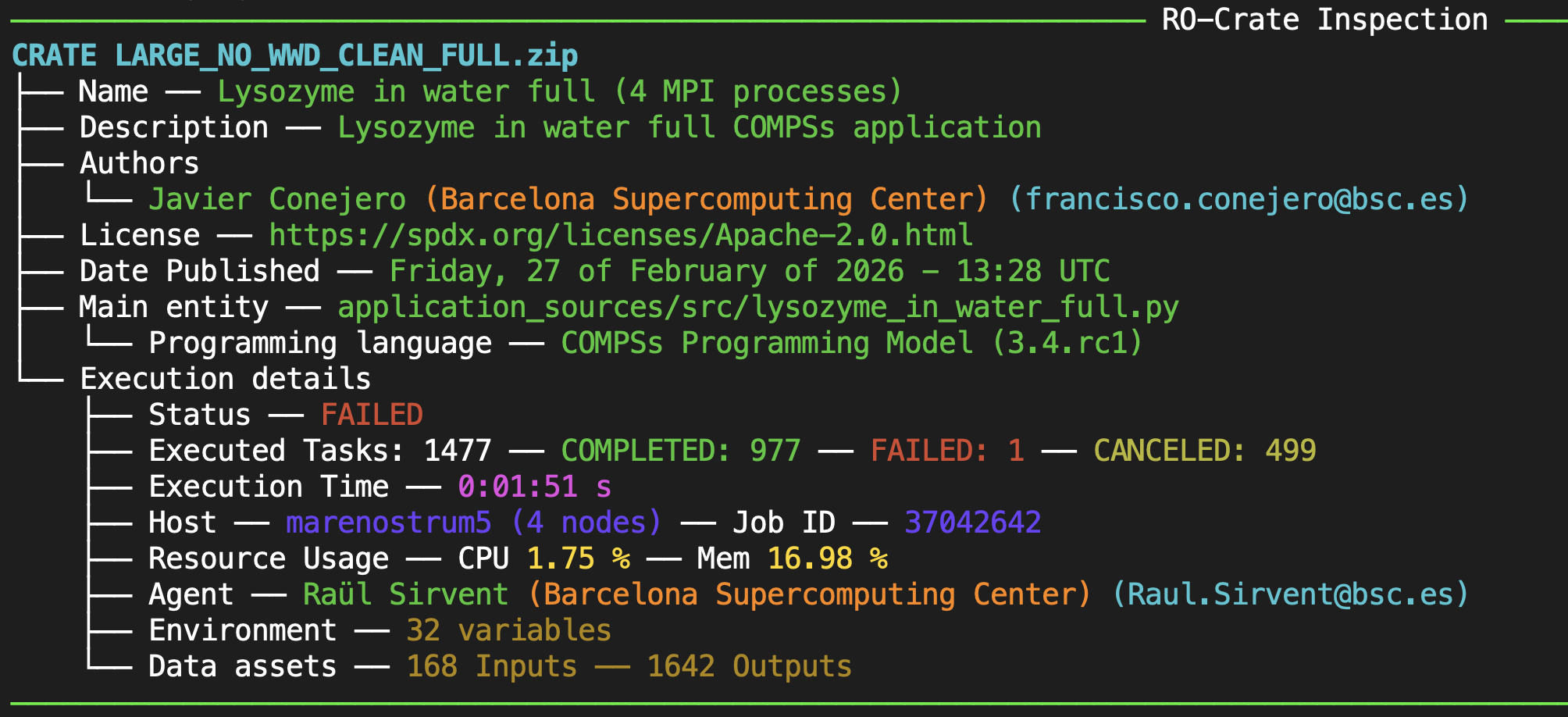
Figure 63 Inspect without flags
Verbose mode:
The -v/--verbose flag can be used to print detailed general information about a run. In particular, when used,
the fields Software Requirements and RO-Crate compliance will appear in the general description. They list the
application’s software dependencies, and the RO-Crate specifications that the metadata complies with, respectively. On the other hand,
in the Execution details much richer information will be printed, showing Start Time and End Time of the
application (in Coordinated Universal Time (UTC) format), the Submission field that contains the command that
was used to run the experiment and the Environment
field that has some relevant environment variables captured during the execution.
Moreover, the Resource Usage section is
largely expanded showing resource and method statistics per node used in the computation, and a summary in the
Overall Statistics field. In detail, the Overall Statistics section includes statistics on all the methods executed during
the experiment: for each method, number of invocations, average, maximum and minimum execution times are also recorded in milliseconds;
a general calculation of resource usage is also done by providing the average % CPU and memory usage, obtained from averaging all the worker nodes
involved in the computation (excluding the master). After that, details per node are provided, first providing the hostname (and if it is the
master of the computation) together with the total number of tasks the node executed. Then, inside each node, statistics per method are provided (again
number of invocations, average, maximum and minimum execution times in milliseconds) together with CPU and memory statistics, this time including
average and maximum % of use of the CPU, and average, maximum and minimum % for the memory. This information can be very useful to do a quick
assessment on the usage of resources during the computation, where methods taking too much time to execute can be identified, or even also large
load balance differences between the nodes can be discovered.
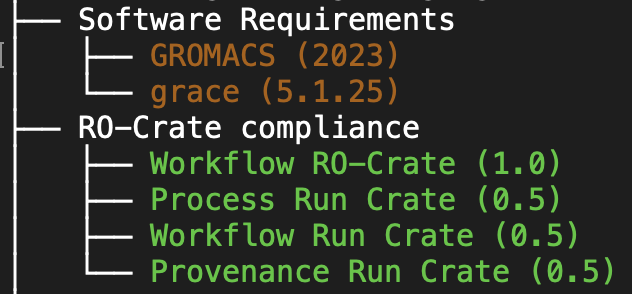
Figure 64 Inspect extra general details
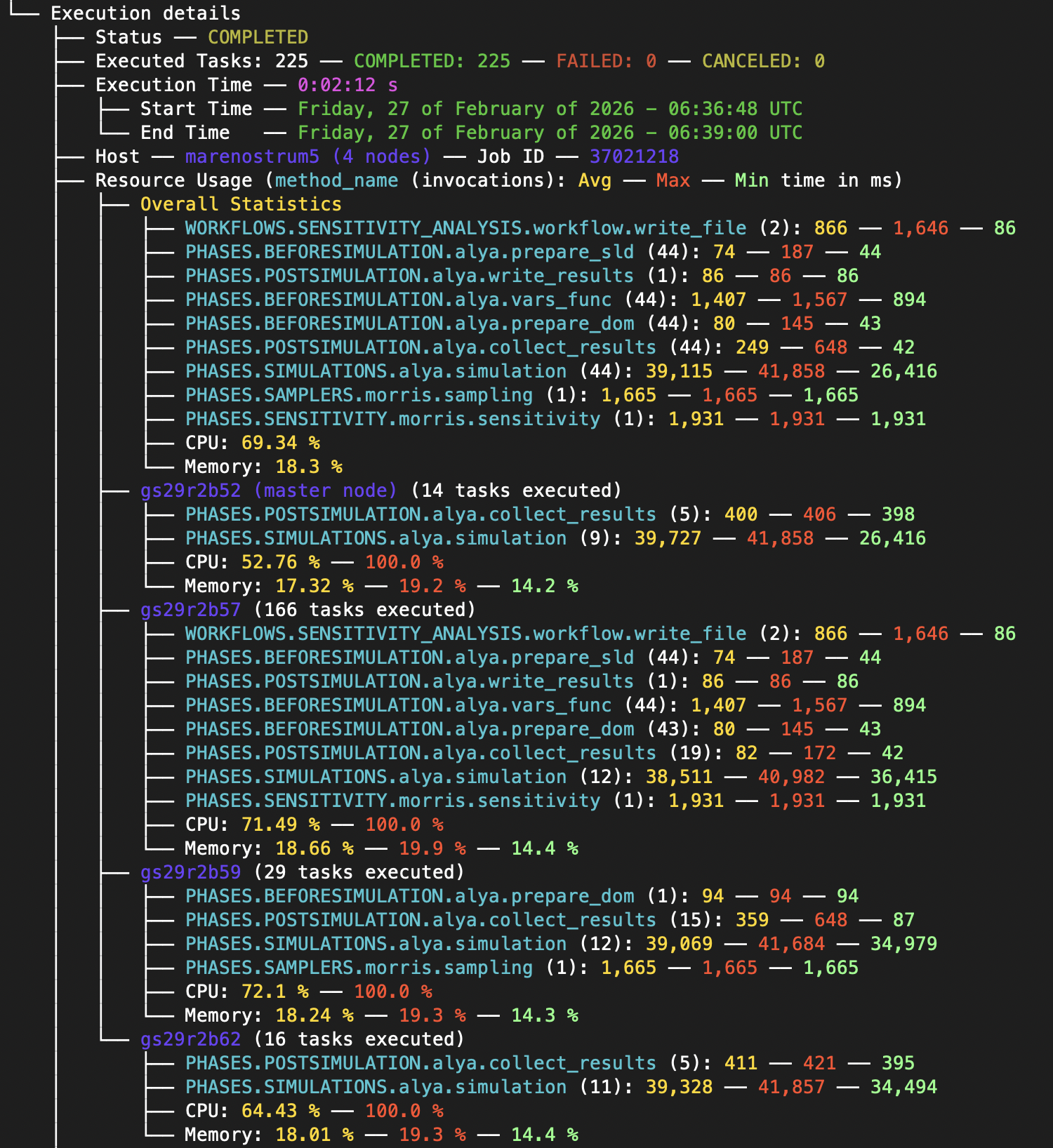
Figure 65 Inspect verbose, providing method and resource usage statistics
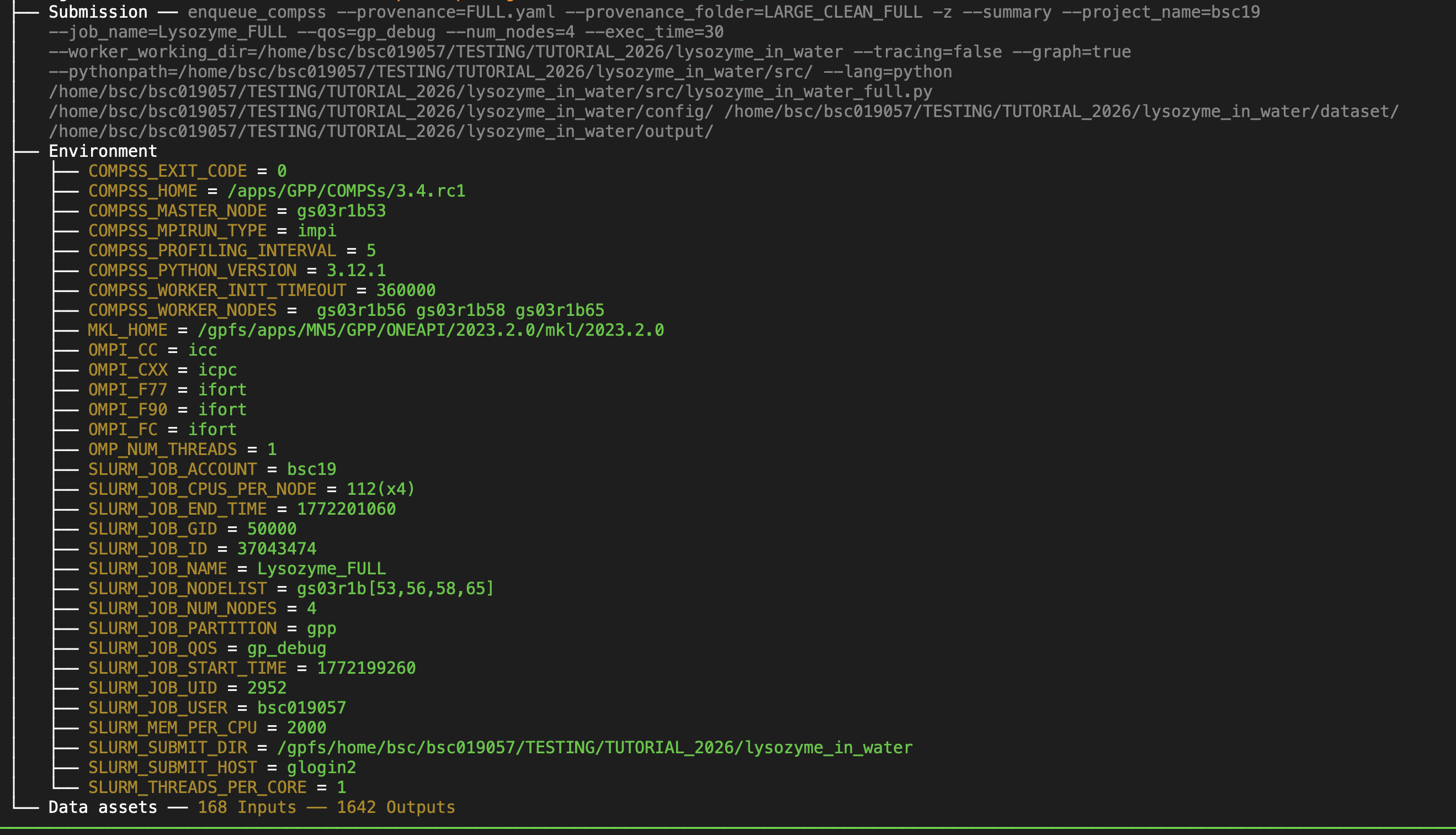
Figure 66 Detail on submission command and environment variables inside the Execution details section
List data assets:
A -d/--data_assets flag is available to get details on the inputs used and outputs generated by the workflow execution. This listing is disabled
by default because experiments can have very large sets of files and datasets involved in the computation, and therefore listing them every time can
become annoying. Each data asset
can be specified either with a relative path inside the crate when data is persisted, or a URL referencing
where to find the file when data is not persisted. For directories, only the root name is listed, and in the case of individual files,
the size of the file is also shown.
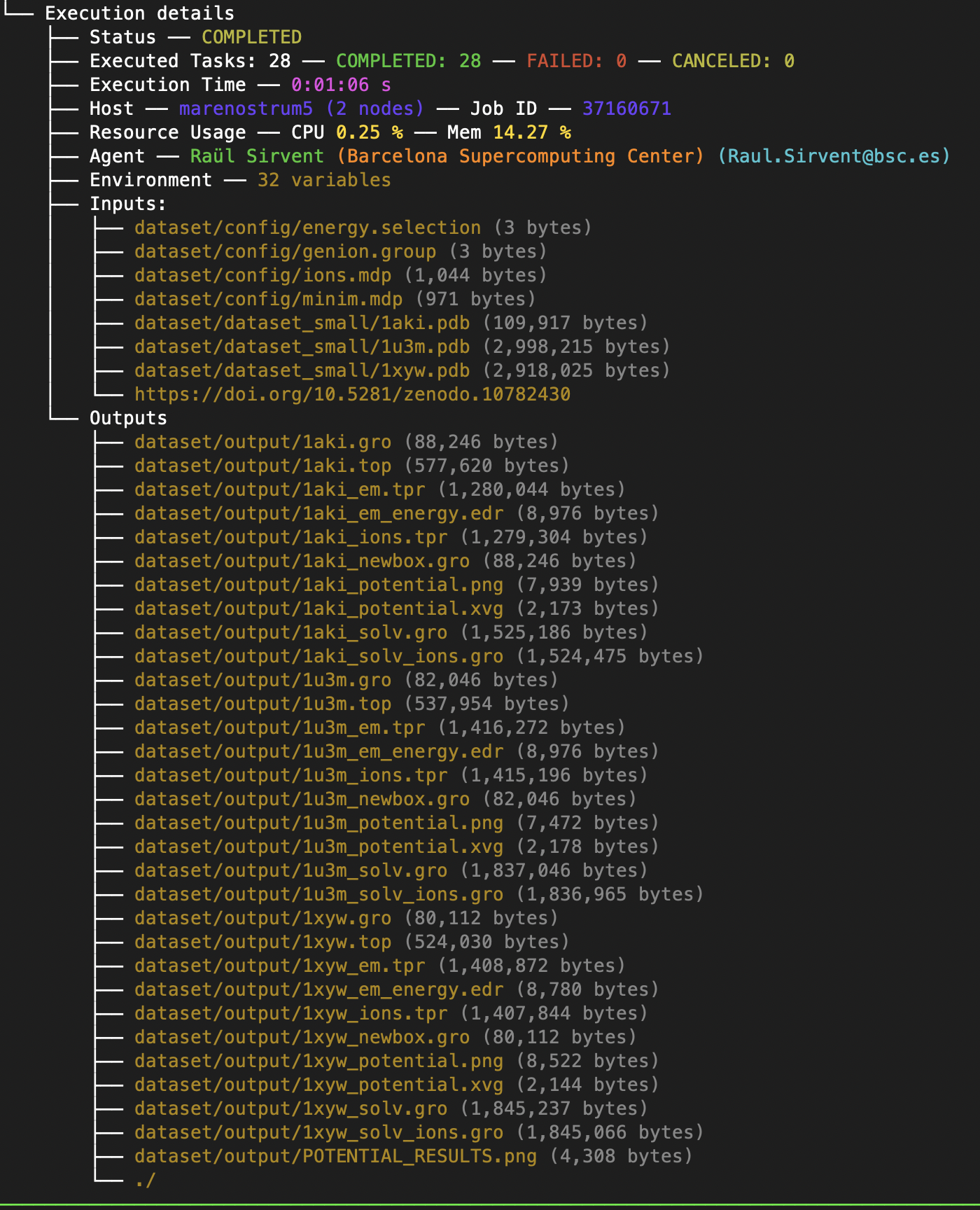
Figure 67 Detail on datasets needed (Inputs) and generated (Outputs) by the workflow application. Since relative paths are used, the datasets are persisted in the crate
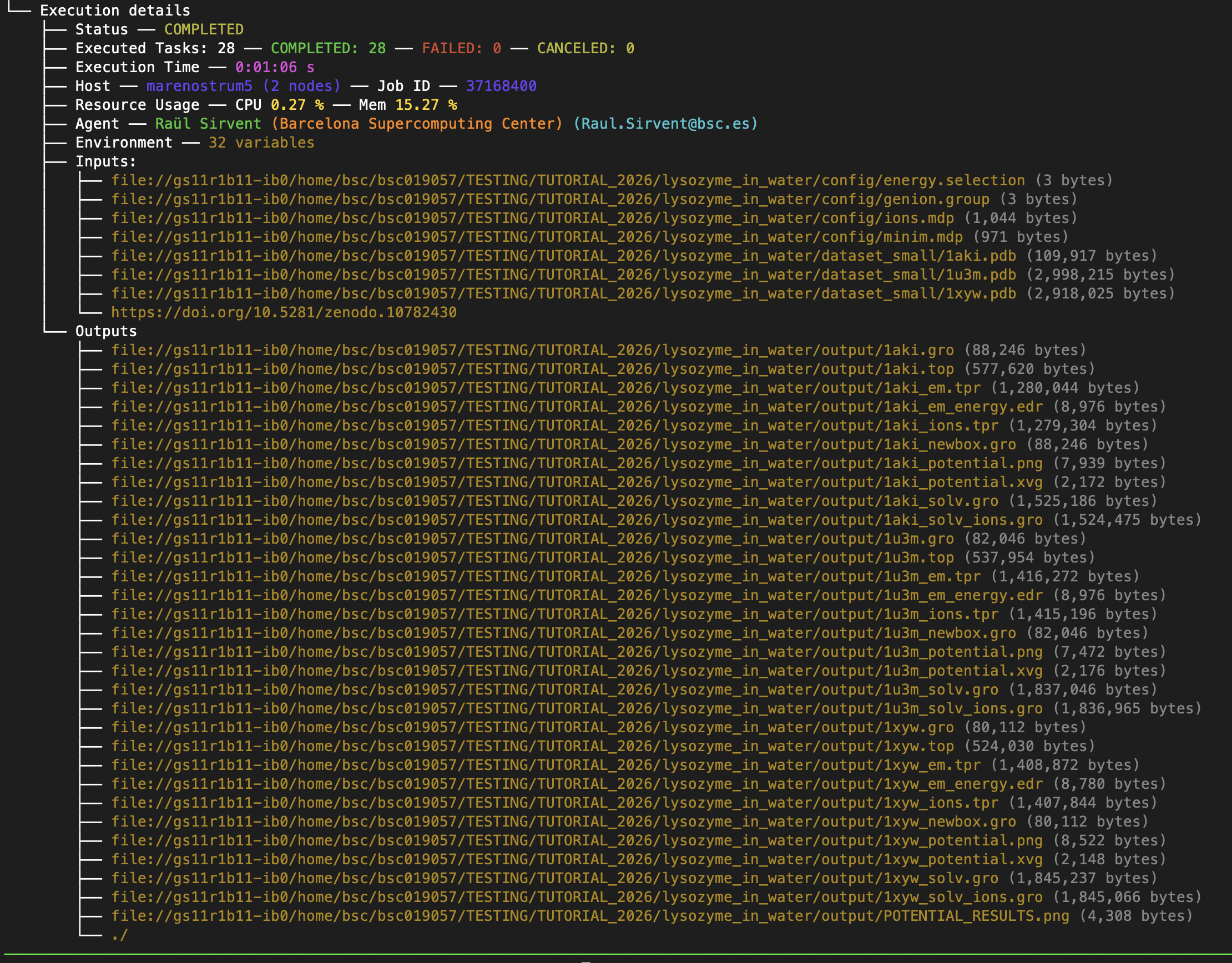
Figure 68 Detail on datasets needed (Inputs) and generated (Outputs) by the workflow application. Since URLs are used, the datasets are not persisted in the crate
Get details of tasks by number:
The -t/--tasks flag can be used to print detailed information about each selected task individually. The flag accepts individual numbers
separated by spaces (e.g. 3 4 10), ranges of tasks (e.g. 20-30) and combinations of both.
Details such as its status, what specific method was executed, the execution time, the host where the task ran, what parameters were used
(together with their type and value and a brief generated description for complex types) and the task’s related log files (if the task
failed or debug mode is used). The Type field shows first the corresponding schema.org type mapped for the parameter, and later any
other type captured from the original programming model (e.g. float64, dict, etc.).
For tasks that failed or were canceled, we do not capture output parameters since they cannot be relied upon. This means that, when listing
their details, no Outputs will be listed. In case of failure, the Execution Time will correspond to the run time the task was running ok
before reaching the failure.
Tip
We STRONGLY recommend to use the workflow diagram (i.e. complete_graph.svg) to easily understand task id numbers for later selection with -t.
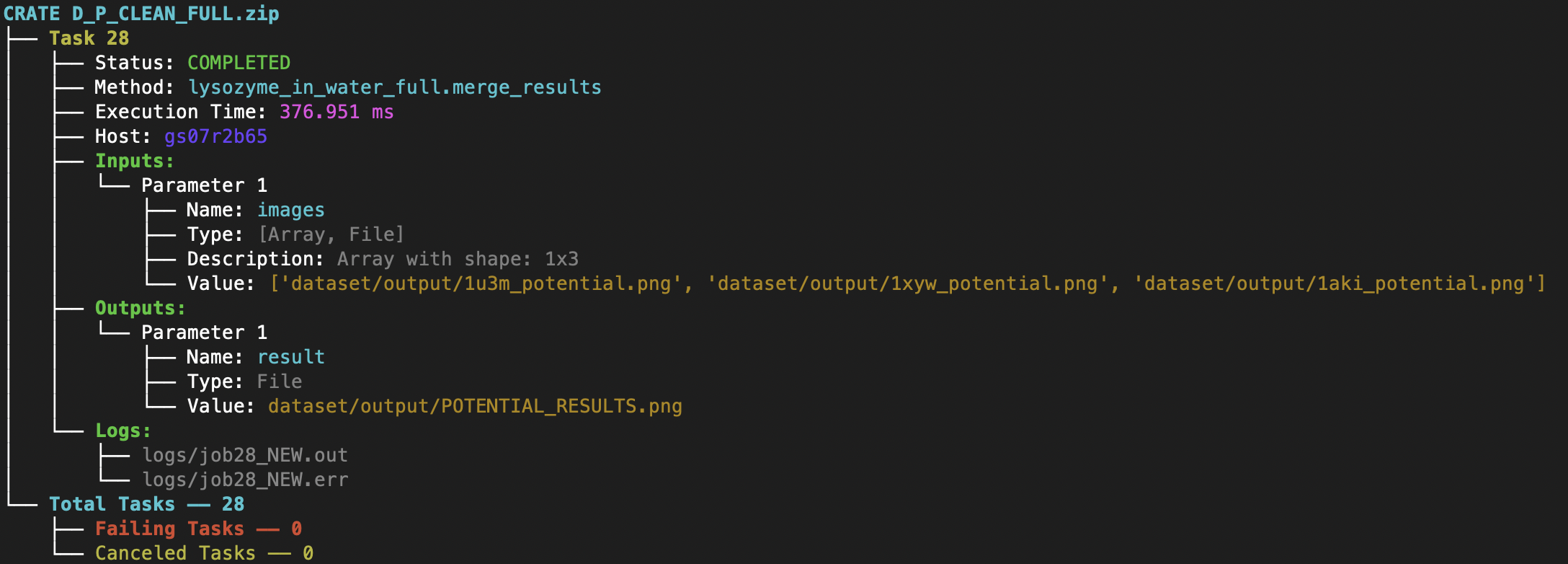
Figure 69 Task details: examples on Array of Files and File parameters. Corresponding task execution log files are also listed
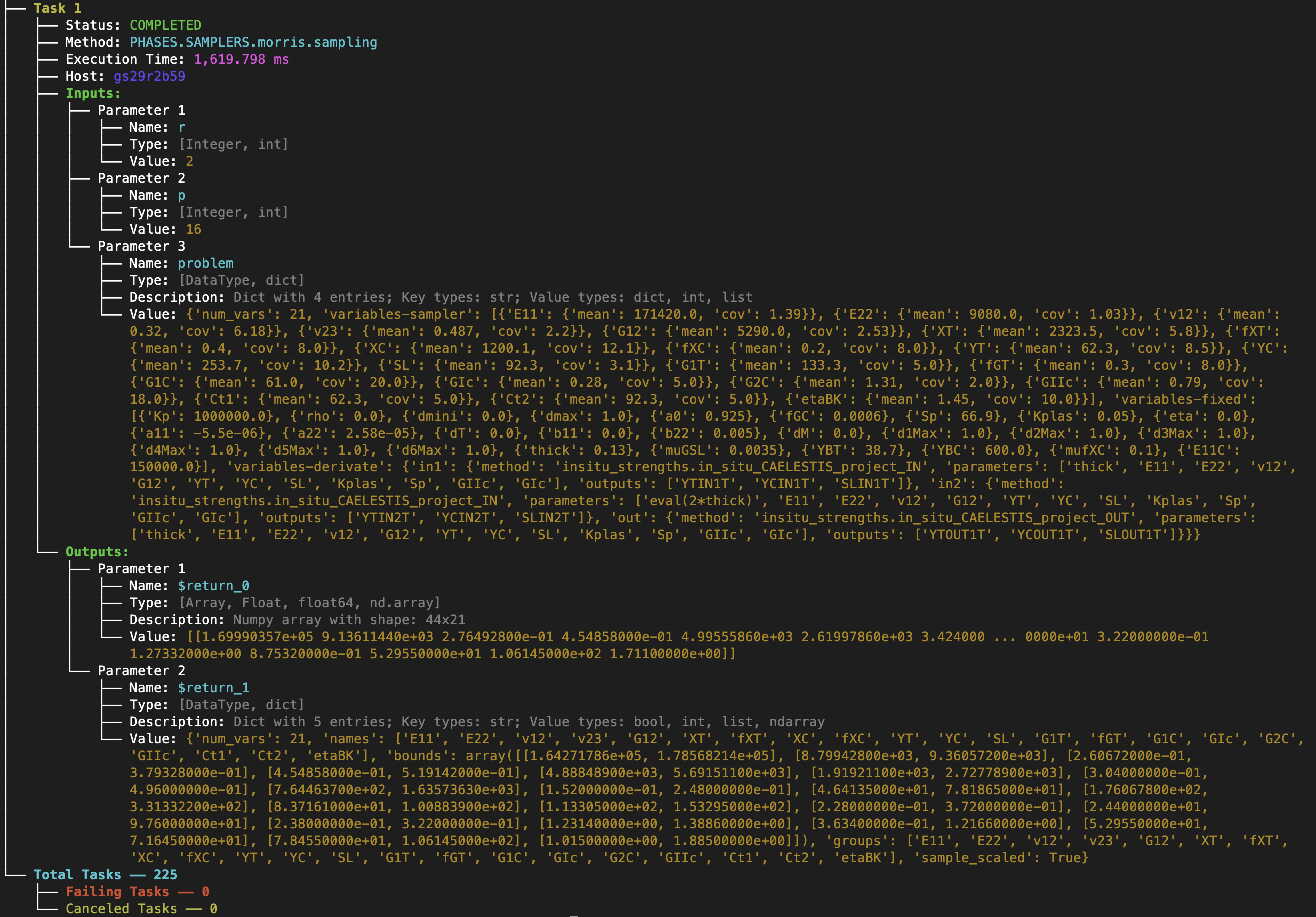
Figure 70 Task details: examples with Integer, Dictionary and Numpy array parameters
Get details of tasks by method name:
Similarly to the previous flag -t, the -m/--methods flag provides a way to filter all the tasks executed but this time using a pattern to filter
them by the name of the method the tasks have executed. In this case, only a single pattern can be passed to the flag.
Get details of the tasks that failed:
The function of the -f/--failing_tasks flag is to provide a way to list only the details of the tasks that have failed during the execution.
Since the provenance is generated even when failures occur, this information can help users to debug the application run and easily identify
the source of a problem. Failing tasks always include their related execution logs, where failures can be tracked down. Besides, provenance
records the exact values of the inputs used to call the invoked method, which is also a very nice way to clarify to the user how the
method was called and if it was as it was expected.
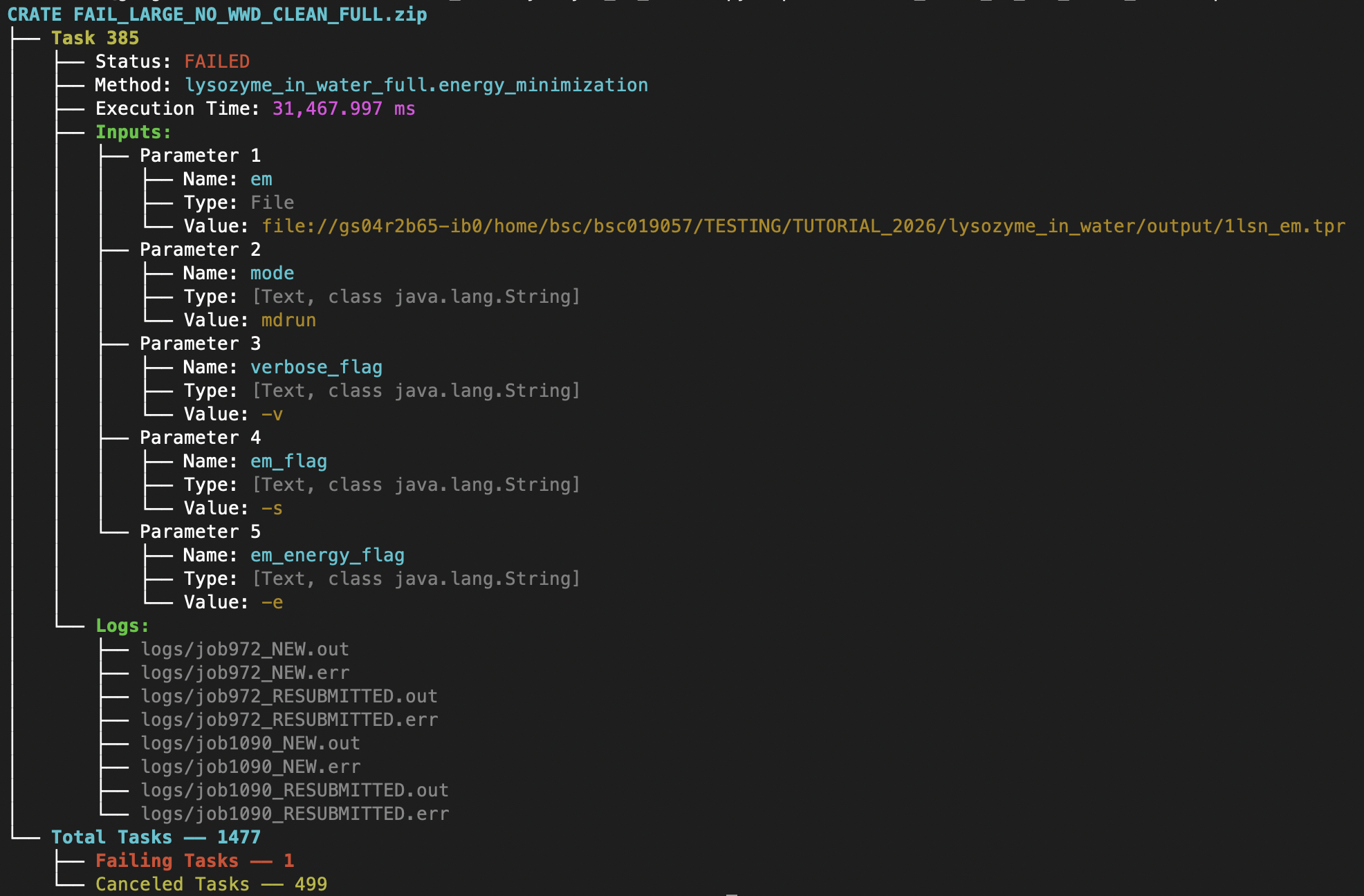
Figure 71 Details on Task 385 that failed. We can see that both Inputs and execution logs are indicated so the user can check them to look for errors
Compatibility with other WMSs:
Thanks to being compliant with RO-Crate, and specifically with the Workflow Run RO-Crate collection of profiles (Workflow Run and Provenance Run), the pycompss inspect functionality is interoperable with other Workflow Management Systems (WMSs) that generate metadata in this format. Some examples are: CWL, nextflow, Galaxy, Autosubmit, WfExS, Streamflow, Snakemake, Sapporo, and more. Each WMS generates a certain level of metadata details, that is the reason why the level of details printed with pycompss inspect can vary from one system to another.
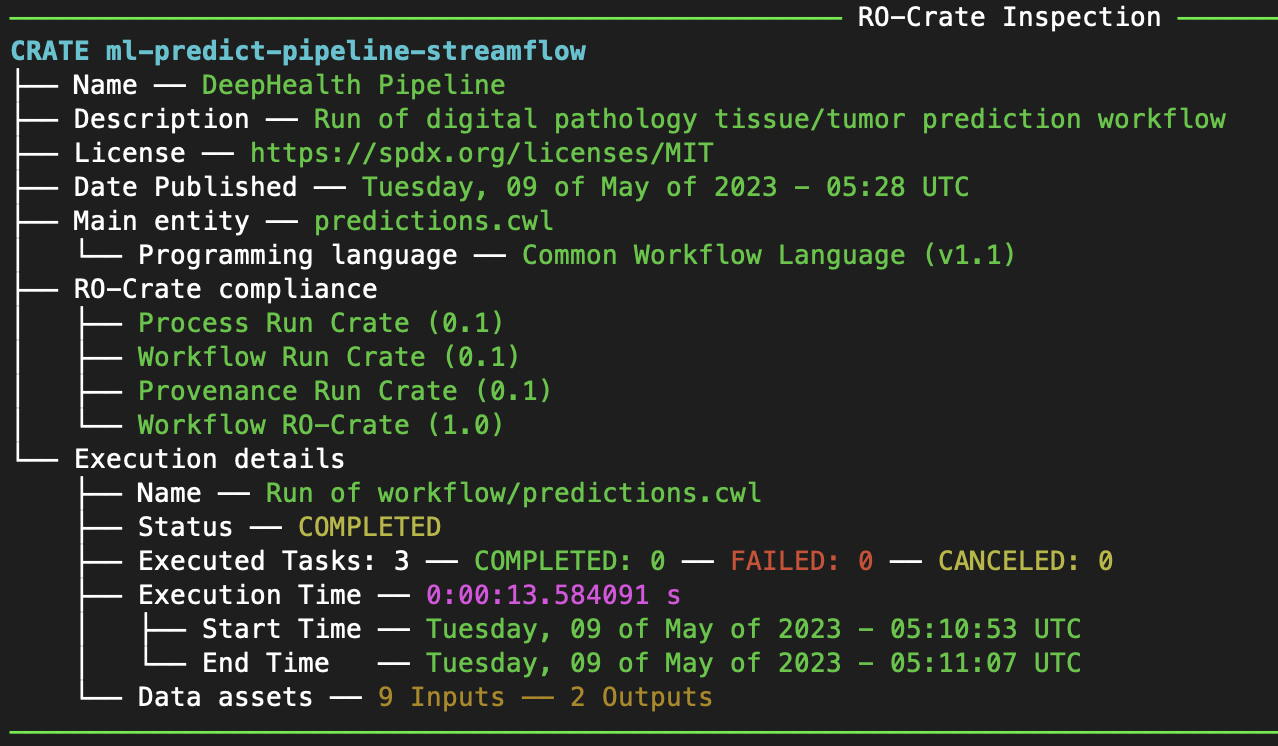
Figure 72 Streamflow pipeline details obtained with pycompss inspect
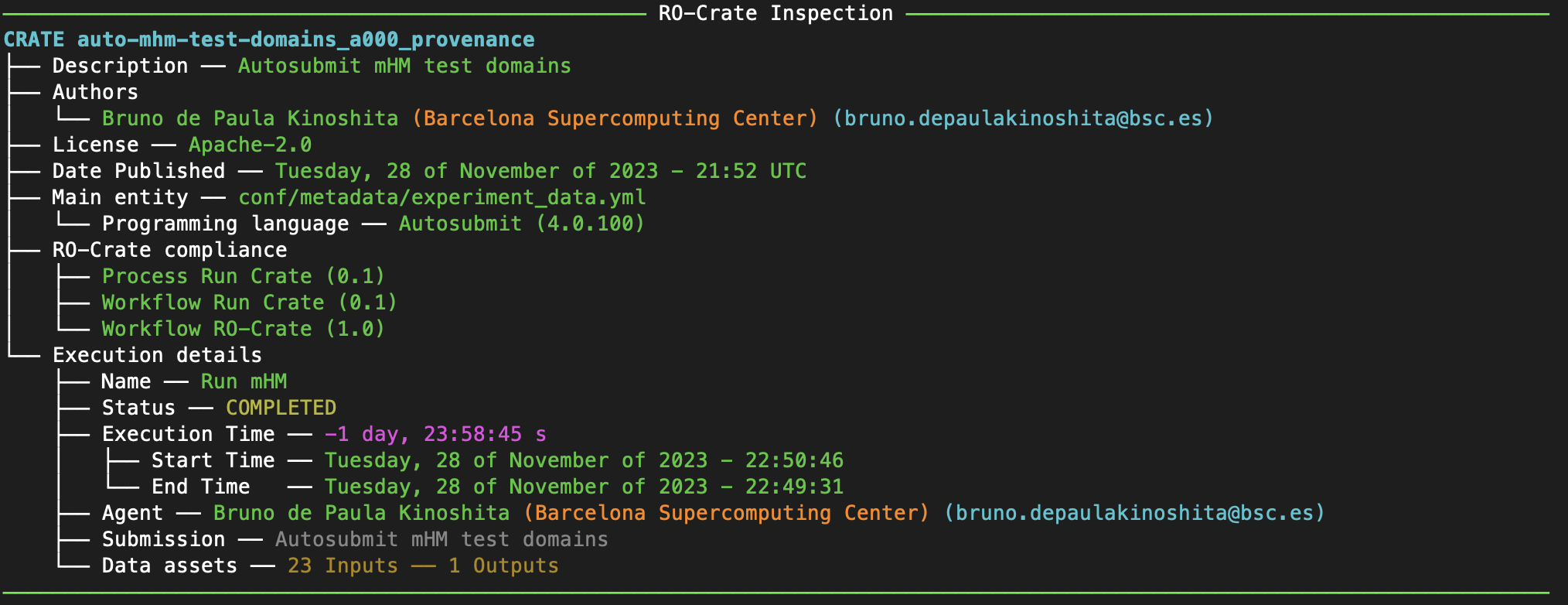
Figure 73 Autosubmit pipeline details obtained with pycompss inspect
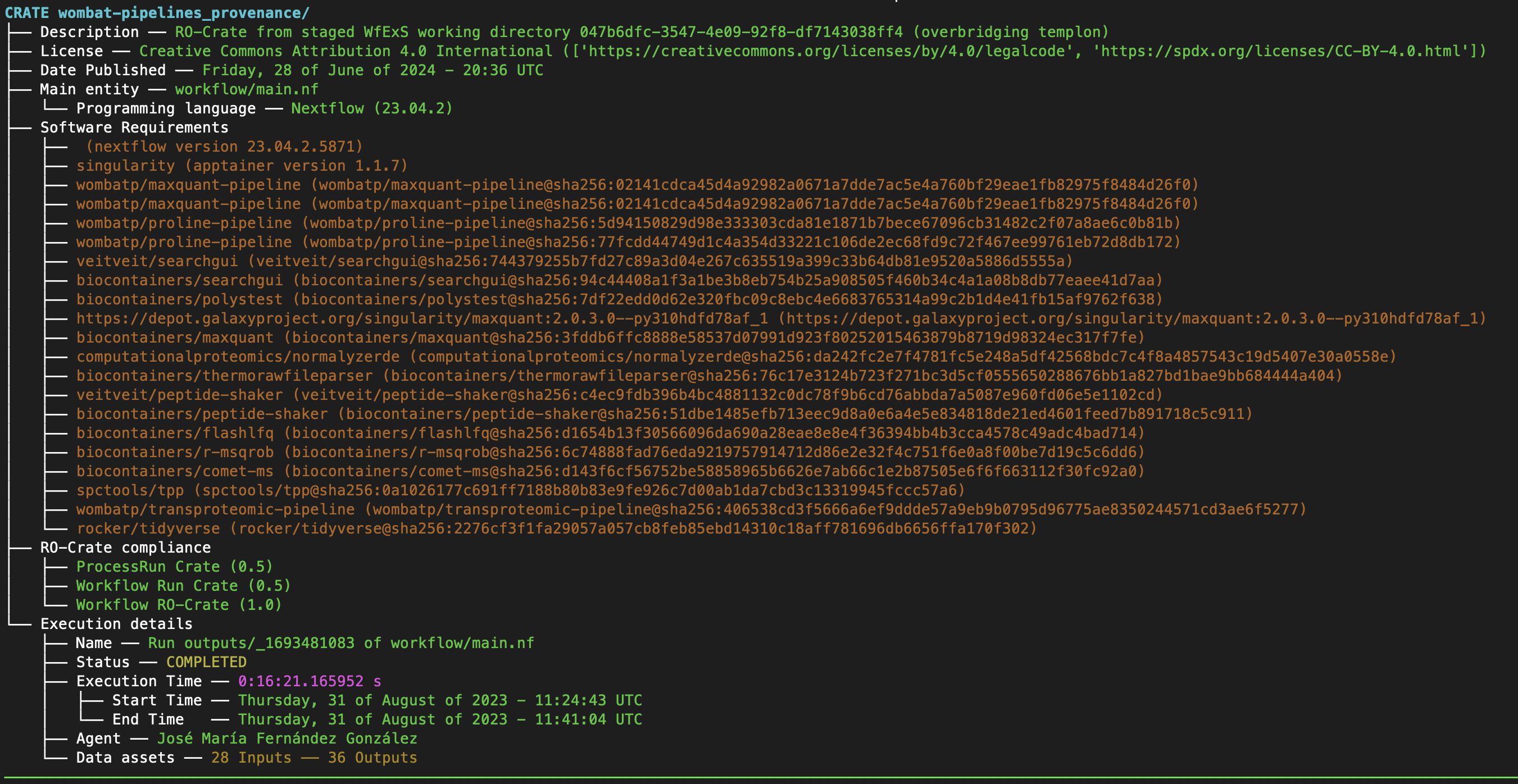
Figure 74 WfExS pipeline details obtained with pycompss inspect