Reproducibility Service
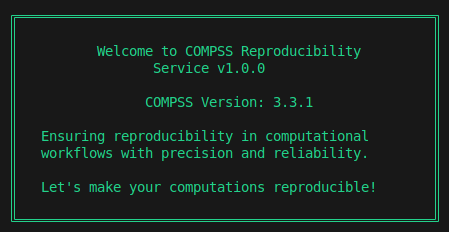
Figure 56 Reproducibility Service welcome message
This is an automatic reproducibility service designed to help reproduce COMPSs workflows on your local machine or on a cluster. Below are the prerequisites and instructions for proper functioning.
Pre-requisites
COMPSs must be installed on your local machine, or the COMPSs module must be loaded on the cluster. For installation guidance, refer to the Installation and Administration Section.
Ensure that all software dependencies for the experiment you wish to reproduce are satisfied on the machine where you want to resubmit the application.
How to Use
Take the remote URL to a downloadable RO-Crate zip file (e.g., copy the link from WorkflowHub on the “Download RO-Crate” button) or the local path to the RO-Crate (a folder or a zip file) and pass it as the first argument to the service:
$ compss_reproducibility_service <link_or_path>
The rest of the steps are self-explanatory and occur as interactions with the program, allowing the following features:
Features
Provenance Generation: The program prompts you for a provenance flag (
-pflag forruncompss). It automatically fetches the experiment details from the metadata and only asks for theAgentdetails.New Dataset Feature: If you want to reproduce the same experiment with a new dataset (i.e. replicability), simply provide the path to the new dataset.
Warning
The new dataset should follow the EXACT same directory structure as the old one for the paths to be correctly mapped.
Flag Addition: You can review the
runcompsscommand line generated by the service and pass additional flags according to the needs of your new run.File Verification: The service verifies file integrity against metadata such as file size or modification date. It generates a status table displaying the results of the verification.
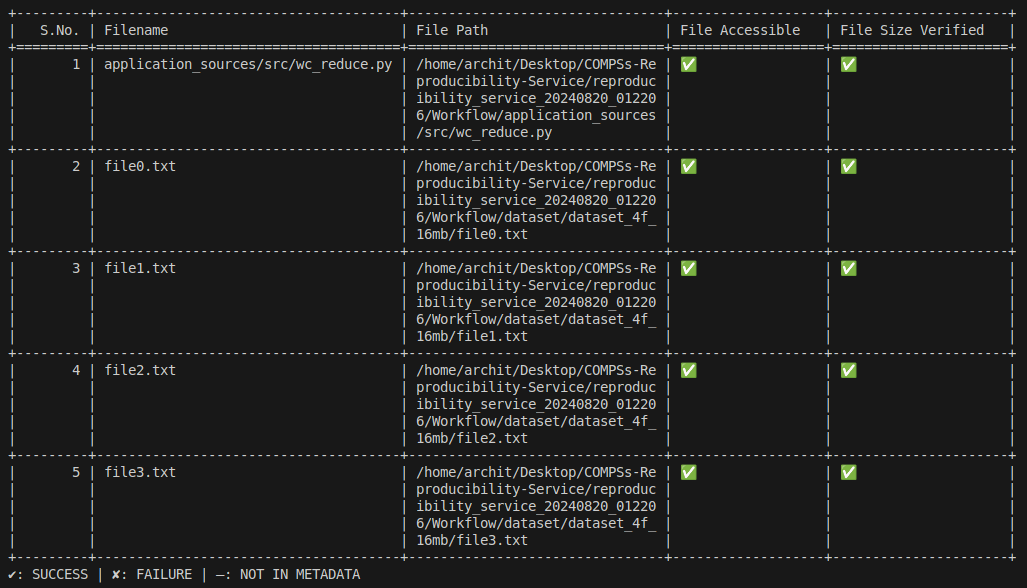
Figure 57 Reproducibility Service file status table
Sub-directory Feature: The service execution occurs in a separate subdirectory named
reproducibility_service_{timestamp}/, ensuring that it does not interfere with the current working directory (cwd).Results: Any results generated by the experiment are stored in
reproducibility_service_{timestamp}/Results/. If provenance is requested, the generated RO-Crate is also stored in this directory.Logging: Logs from the reproducibility service, such as
err.log,out.log, andrs_log, are stored inreproducibility_service_{timestamp}/log/.
Known Issues (or Future Plans)
Third-party software dependencies: neither automatic detection nor loading those dependencies on a cluster are yet implemented. Currently, they need to be solved manually by the user.
No support for workflows with
data_persistence = Falsewith all datasets as remote files.
Experiment Requirements
If a folder path is provided in the
compss_submission_command_line.txt, the path should end with a/.The service does not support experiments with file paths hardcoded inside the original source code of the application, as these paths cannot be easily mapped.
The
data_persistence = Falseexamples are only supposed to work on the original cluster where paths related to the experiment are accessible (i.e., the new Agent may need to request access permissions).
How to Use via Chameleon
If you’re unsure how to create an instance on Chameleon, please refer to the official documentation: Chameleon Documentation.
To utilize this service or run any COMPSs experiments, you can create an instance of the Ubuntu 22.04 appliance with COMPSs 3.3.3 installed. You can find the appliance here: Ubuntu 22.04 with COMPSs 3.3.3.
After successfully creating an instance of the appliance, execute the following command to set up the environment:
$ sudo ./working_scripts/basic_config.sh start
Once the setup is complete, you can proceed to run any COMPSs experiments of your choice.
Tip
Since Chameleon allows access to remote networks, you can directly clone the Reproducibility Service as well as the RO-Crate of the experiment you want to reproduce.